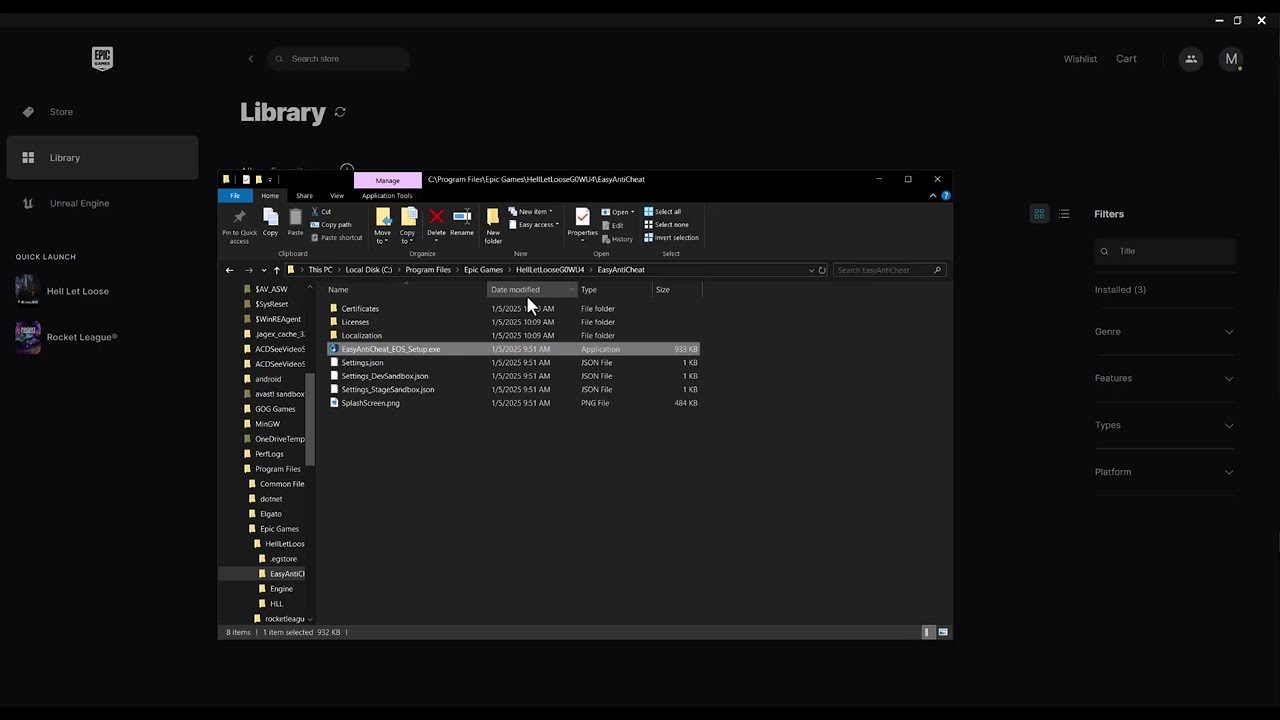
Quick answer: Verify Hell Let Loose in Steam, restart Windows, and use Easy Anti-Cheat’s installed service repair. Do not delete the entire EAC folder: viewer feedback shows that can leave Easy Anti-Cheat reported as not installed.
Before you start
- Close Hell Let Loose and Steam.
- Install pending Windows and game updates.
- Write down the exact EAC message or code.
Repair Easy Anti-Cheat
- Verify game files: In Steam, right-click Hell Let Loose, select Properties > Installed Files > Verify integrity of game files.
- Restart Windows: This releases locked EAC files and restarts its service.
- Run the EAC service repair: Open Command Prompt as administrator. Locate
EasyAntiCheat_EOS_Setup.exein the game’s EasyAntiCheat folder and use the official EAC Windows Service repair command documented for the installed service. - Re-verify after repair: Run Steam verification again so any missing anti-cheat component is restored.
- Check antivirus quarantine: Restore only verified Hell Let Loose or EAC files, then create the narrowest possible exception. Keep real-time protection enabled.
- Launch from Steam: Start the game through the normal Steam button, not an unknown third-party shortcut.
Why this works
Easy Anti-Cheat starts a Windows service and validates the protected game installation. File verification restores missing components; service repair re-registers EAC without removing the whole folder; a restart clears locked files.
Alternatives
- If the error says EAC is not installed, verify files before trying the service repair again.
- Disable overlays and hardware-monitoring utilities for one test, then re-enable them individually.
- Use the EAC support article matching the exact code, such as Error 30005 or Unknown File Version.
Warnings and reversal
Do not download EAC DLLs from file-sharing sites or bypass anti-cheat. Do not remove the full EAC directory unless official support instructs you to reinstall it. Remove any test antivirus exception that does not help.
FAQ
Should I delete the EasyAntiCheat folder?
No. That can change the symptom to “Easy Anti-Cheat is not installed.” Verify and repair instead.
Will verification delete progress?
No. Steam checks installed files; Hell Let Loose account progression is separate.
Can I bypass EAC for online play?
No. Bypassing anti-cheat is unsafe, may violate the game’s rules, and is not part of this guide.
Official references
Source video
The video discusses repairing EAC. Because some viewers reported that deleting the folder removed the installation, this guide uses the official service-repair and file-verification path instead.
As an Amazon Associate I earn from qualifying purchases.