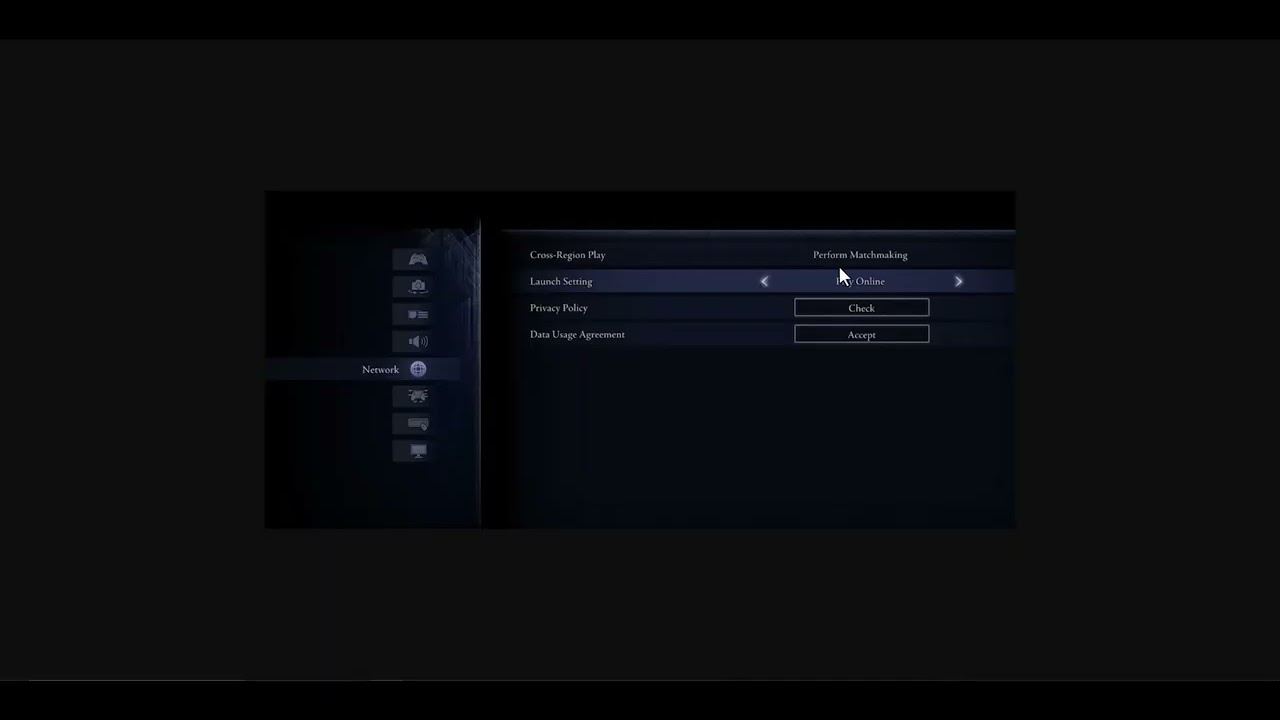
Quick answer: In Nightreign, set Launch Setting to Play Online and Cross-Region Play to Perform Matchmaking, then restart the game. Clear an unintended multiplayer password and check Remembrance restrictions. Cross-region play widens the pool but can increase latency and does not add cross-platform matchmaking.
Before you start
- Install the latest Nightreign update on every player’s system.
- Check the platform network and Bandai Namco service notices.
- Confirm all friends use compatible platforms; Nightreign supports cross-generation play within a console family, not full cross-platform play.
Fix Nightreign matchmaking
- Enable online launch: From the title screen open Settings > Network and set Launch Setting to Play Online.
- Expand the search: Set Cross-Region Play to Perform Matchmaking. Restart the game so the network session is rebuilt.
- Check passwords: Remove a multiplayer password when joining random players. When playing with friends, every member must enter the same password exactly.
- Review Remembrance progress: Bandai Namco says matchmaking can fail when multiple party members are progressing Remembrance missions. Let only one player pursue a personal objective and have that player start matchmaking.
- Choose a broader target: If available, select multiple Nightlord targets to widen the queue rather than repeatedly canceling and restarting.
- Restart the platform and router: Fully close Nightreign, restart the console or PC, then restart the router if other online games also have connection problems.
Why this works
Online launch allows network play, and cross-region matchmaking increases the available player pool. Matching passwords keep friends in the same private pool. The Remembrance rule is game-specific: two personal-objective sessions can conflict even when the connection itself is healthy.
Alternatives
- Try solo play to confirm the game reaches an expedition without matchmaking.
- On PC, verify files through Steam after an interrupted update.
- Use a wired connection or a stable 5 GHz Wi-Fi link for one test.
- If services are down, wait and retest rather than changing router security settings.
Warnings and reversal
Cross-region matchmaking may produce higher ping. Set it back to Do Not Perform Matchmaking to prioritize nearby players. Do not expose the PC or console through broad port forwarding or DMZ settings for this problem.
FAQ
Does cross-region play enable PC-to-console play?
No. It widens the region search on the same compatible platform family; it is not full crossplay.
Why can random matchmaking work while friends cannot join?
Check password spelling, platform compatibility, party size, and whether more than one player is advancing a Remembrance.
Will changing this setting affect saves?
No. It changes matchmaking behavior only.
Official references
Source video
The video demonstrates the online-launch and cross-region settings. The Remembrance limitation and matchmaking context above come from Bandai Namco’s current guidance.
As an Amazon Associate I earn from qualifying purchases.
Leave a Reply