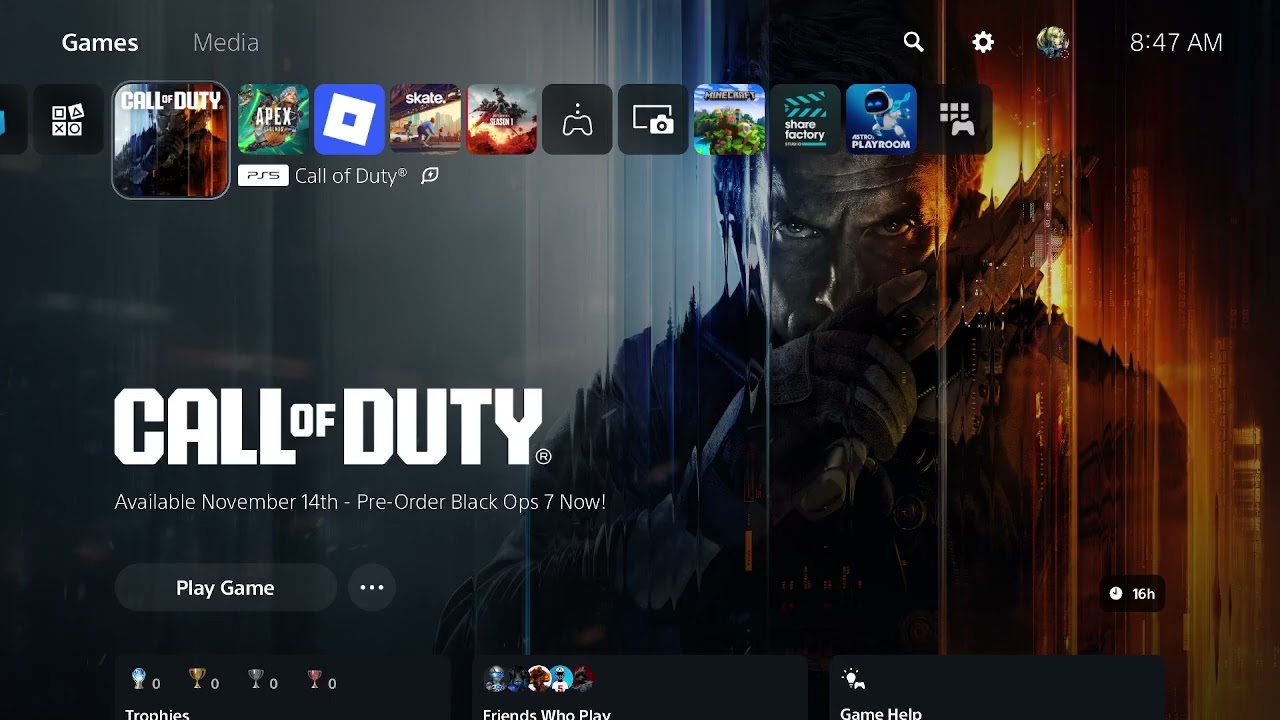
Black Ops 7 can show “Content Not Found” when the base game is present but the files for Campaign, Multiplayer or Zombies are missing, damaged or tied to the wrong PlayStation edition. Start with Call of Duty’s own file manager, then check the console-level game content and license.
Before you start
- Sign in with the account that purchased or redeemed Black Ops 7.
- Make sure the console has enough free storage for the selected mode.
- Confirm whether you want Campaign, Multiplayer, Zombies or another component; these can be installed separately.
- Do not delete saved data. The steps below concern game files and licenses.
How to fix “Content Not Found” in Black Ops 7
1. Install the missing mode through Call of Duty
Launch Call of Duty and open the main menu. Select Manage Files, select Manage Files again, then choose the Black Ops 7 tile. Install the specific Campaign, Multiplayer or Zombies component you need. Activision’s current content-management guide uses this same menu path.
2. Restart after the install finishes
Let the download and installation complete before relaunching. A mode can remain unavailable while a required pack is still queued, paused or copying. Restart the game after the platform reports that the install is complete.
3. Check Manage Game Content on PS5
From the PS5 home screen, highlight Black Ops 7 and press the controller’s Options button. Select Manage Game Content and install any missing Black Ops 7 component. If a pack is present but the error persists, remove and reinstall only that component before reinstalling the entire game.
4. Confirm that the PS5 edition is installed
The Cross-Gen Bundle can expose both PS4 and PS5 versions. Activision specifically advises PS5 owners to install the PS5 version. Open the game tile’s options and verify the version before downloading large content packs again.
5. Restore the game license
Highlight Black Ops 7 on the PS5 home screen, press Options, and choose Restore License. You can also use Settings > Users and Accounts > Other > Restore Licenses. PlayStation states that restoring licenses does not affect saved data.
If the content is installed but still unavailable
- Restart the console, then check Downloads/Uploads for a paused or failed pack.
- Update Black Ops 7 and PS5 system software.
- Confirm that the disc region and PlayStation account region match when using a disc and downloadable add-ons.
- Delete and reinstall the affected add-on or mode pack before reinstalling the full game.
- If the error changes to a network message, use the Black Ops 7 connection-failed guide.
Why this works
The base launcher, game entitlement and mode files are separate checks. “Content Not Found” can appear when the launcher can start but the selected mode is absent or when PlayStation cannot validate the purchase. Installing the correct component repairs the local side; restoring the license refreshes ownership on the account side.
Warnings
- Do not delete console saved data while repairing game content.
- Do not reinstall every Call of Duty title unless the affected pack cannot be repaired individually.
- Installing the wrong console version can waste storage and leave the intended PS5 mode unavailable.
- Free-to-play content does not automatically grant ownership of paid Black Ops 7 modes.
Frequently asked questions
Does restoring licenses delete my progress?
No. PlayStation says the restore-license process does not affect your data.
Why can I open Call of Duty but not Multiplayer or Zombies?
The launcher or base game can be installed while an individual mode is missing. Check Manage Files and Manage Game Content for that mode.
Should I reinstall the whole game?
Only after checking the individual mode packs, the correct PS5 version and the license. Reinstalling a single affected component is faster and less disruptive.
Watch the original walkthrough
The Moe Gaming video shows both the in-game Manage Files menu and the PS5 license/content options. Source video: How To Fix Black Ops 7 “Content Not Found”.
Optional PlayStation hardware
For readers comparing compatible current-generation hardware, the PlayStation 5 Digital Edition is a direct product link. Buying hardware is not required to fix an existing content-license problem.
Affiliate disclosure: As an Amazon Associate I earn from qualifying purchases.