Quick answer: If Black Ops 2 says it is unable to join a friend’s game session on PS5, set Party Privacy to Open on both consoles, confirm neither player has blocked the other, then leave the current mode and try joining from Zombies or Multiplayer again. If that fails, check Black Ops 2 and PlayStation Network status.
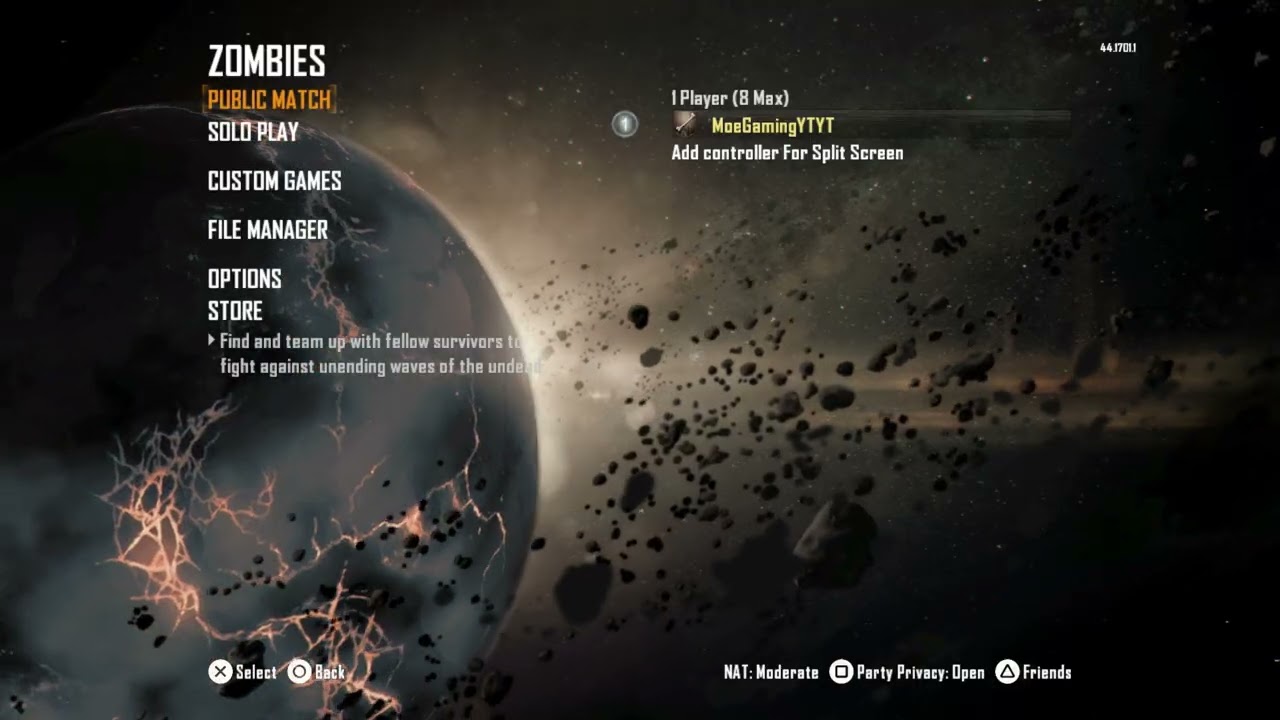
The current PlayStation release of Call of Duty: Black Ops II supports PS4 and PS5, with PlayStation Plus required for online play. A join failure can come from closed party privacy, a stale in-game lobby, a friends/block-list mismatch, or a wider service or network problem.
1. Set Party Privacy to Open for both players
- Open Black Ops 2 and enter the Multiplayer or Zombies lobby.
- Open the party or social settings.
- Set Party Privacy to Open instead of Invite Only or Closed.
- Have your friend change the same setting on their console.
- Back out of the party menu, reopen it, and send or accept the invitation again.
Changing only the host’s setting may not be enough. The video’s main fix is to make sure both players use Open party privacy before attempting the join.
2. Check friends and blocked-player lists
- Confirm both accounts appear as friends on PlayStation Network.
- Open the in-game friends list and make sure the correct account is shown.
- Check that neither player has blocked the other on PSN or inside the game.
- If the friendship looks stale, remove and re-add the friend, then restart the game on both consoles.
Be careful with similar display names. Verify the exact PSN account before changing a block or friend setting.
3. Switch between Zombies and Multiplayer
A lobby can get stuck even when both players’ settings are correct. The quick workaround shown in the video is to rebuild the session from another mode:
- If the join fails in Multiplayer, both players should leave that lobby.
- Enter Zombies, create a fresh open party, and try joining there.
- If Zombies is the mode that fails, create a fresh Multiplayer party instead.
- Once the invitation works, return to the mode you actually want and rebuild the party.
This forces the game to create a new lobby state and can clear a one-session joining problem.
4. Confirm online-play requirements
- Make sure both consoles are signed in to PlayStation Network.
- Confirm both accounts have access to online multiplayer. PlayStation lists PS Plus as required for Black Ops 2 online play.
- Install any available Black Ops 2 update on both consoles.
- Update PS5 system software.
- Fully close and restart the game on both systems after updating.
5. Check Black Ops 2 and PlayStation service status
Activision recommends checking the game’s server status before changing local network settings. If the platform indicator is not green or an alert is present, wait for the service to recover. Also check the PlayStation Network status page.
If services are operating normally, restart both consoles and the home router. Do not factory-reset the router for a single lobby error.
6. Test a wired connection
Activision recommends wired Ethernet for the most consistent online-game connection. If one player repeatedly drops invites over Wi-Fi, connect that PS5 directly to the router and try again.
As an Amazon Associate I earn from qualifying purchases. If you need one, you can view the Cable Matters Cat 6 Ethernet cable on Amazon. A cable can improve an unstable local connection, but it cannot fix closed party privacy or a server outage.
Optional PS5 multiplayer accessories
- For keeping controllers charged during longer sessions, view this PS5 controller charging station on Amazon.
- For a spare or replacement controller, view the DualSense wireless controller on Amazon.
- For party chat and general game audio, view this PS5-compatible wireless gaming headset on Amazon.
These accessories are optional and will not correct party privacy or server problems.
What to do if only one friend cannot join
If other players can join the host but one specific friend cannot, focus on the two accounts rather than the router:
- Recheck both block lists.
- Remove and re-add the PSN friendship.
- Set both parties to Open.
- Have the other player host a fresh lobby.
- Try the Zombies-to-Multiplayer workaround again.
If nobody can join either host, service status, subscription access, game updates, or network connectivity is more likely.
Video walkthrough
Frequently asked questions
Is Black Ops 2 available on PS5?
Yes. PlayStation’s current product page lists Call of Duty: Black Ops II for PS4 and PS5.
Does only the host need Party Privacy set to Open?
For this fix, set it to Open for both players. That removes Invite Only or Closed privacy as a possible barrier on either side.
Why can I join Zombies but not Multiplayer?
The affected lobby may be stale. Creating a fresh party in the other mode can reset the session, after which you can return to your preferred mode.
Do I need PlayStation Plus?
PlayStation lists PS Plus as required for Black Ops 2 online play. Both players should confirm that the account being used has online multiplayer access.