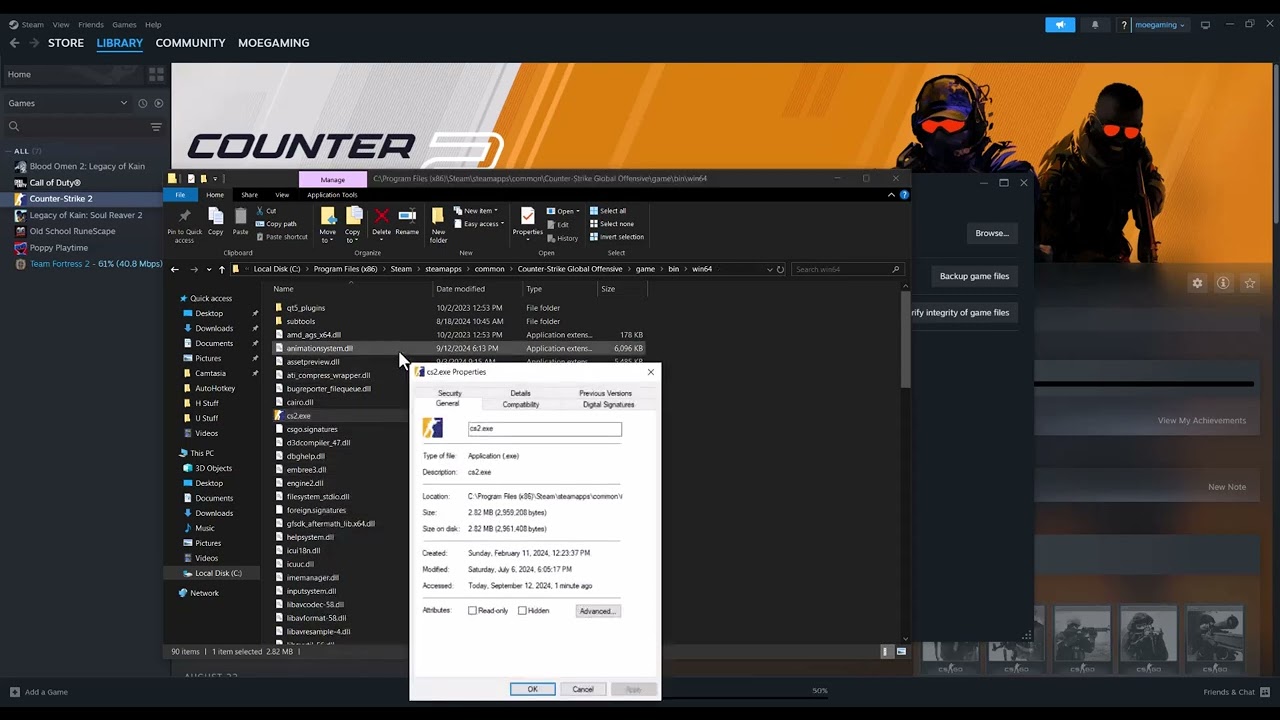
Quick answer: Restart the PC, clear Steam’s download cache, then verify Counter-Strike 2’s installed files. These two Steam-supported repairs address damaged downloads and missing or corrupted game data.
Before you start
- Close CS2.
- Know your Steam sign-in details; clearing the download cache signs you out.
- Let any active downloads finish or pause them.
Fix the packed-store read error
- Restart Steam and Windows. This releases files that may still be locked by a failed update.
- Clear the Steam download cache. Open Steam → Settings → Downloads → Clear Download Cache, confirm, and sign in again.
- Verify CS2 files. In Library, right-click Counter-Strike 2 → Properties → Installed Files → Verify integrity of game files.
- Wait for verification to finish. Steam may redownload damaged or missing packages. Do not run another disk-heavy task during the check.
- Launch CS2 normally. Test before changing Windows compatibility or administrator settings.
Why this works
A packed-store read error points to data Steam or CS2 cannot read correctly. Clearing the download cache removes stale download metadata, while file verification compares the local installation with Steam’s current copy and replaces damaged content.
Alternatives
- Check the drive for free space and Windows file-system errors.
- Temporarily test without third-party overlays or aggressive antivirus scanning.
- Move or reinstall CS2 through Steam if verification repeatedly finds damaged files.
Warnings and reversibility
The source video also suggests permanent Windows 8 compatibility and administrator settings. These are not needed for the core repair and can create new permission or anti-cheat problems, so this guide does not recommend them. Clearing the cache only signs you out; file verification preserves normal saves and inventory.
FAQ
Will verification remove skins or inventory?
No. CS2 inventory is tied to your Steam account.
Why does Steam say one or more files failed to verify?
Steam notes that local configuration files may be intentionally excluded and recreated.
What if the error returns after every update?
Check drive health, security software and available storage, then contact Steam Support.
Official references
Source video
As an Amazon Associate I earn from qualifying purchases.