Quick answer: Press Windows + R, run tpm.msc, and check for “The TPM is ready for use” with Specification Version 2.0. Activision requires TPM 2.0 and Secure Boot for Black Ops 7. If TPM is unavailable, enter UEFI through Windows Advanced startup and follow your PC or motherboard maker’s exact instructions to enable Intel PTT, AMD CPU fTPM, or the equivalent security-device option.
Prerequisites
- Install current Windows updates and save all open files.
- Find the exact PC or motherboard model and download its manual from the manufacturer.
- If BitLocker or device encryption is enabled, make sure the recovery key is backed up before changing firmware security settings.
Check whether TPM 2.0 is already enabled
- Press Windows + R.
- Enter
tpm.mscand select OK. - Under Status, look for The TPM is ready for use.
- Under TPM Manufacturer Information, confirm Specification Version: 2.0.
- If TPM 2.0 is present, also run
msinfo32and confirm BIOS Mode: UEFI and Secure Boot State: On.
Enable TPM 2.0 through UEFI
- Open Advanced startup. In Windows 11, go to Settings > System > Recovery. Next to Advanced startup, choose Restart now.
- Enter firmware settings. Choose Troubleshoot > Advanced options > UEFI Firmware Settings > Restart.
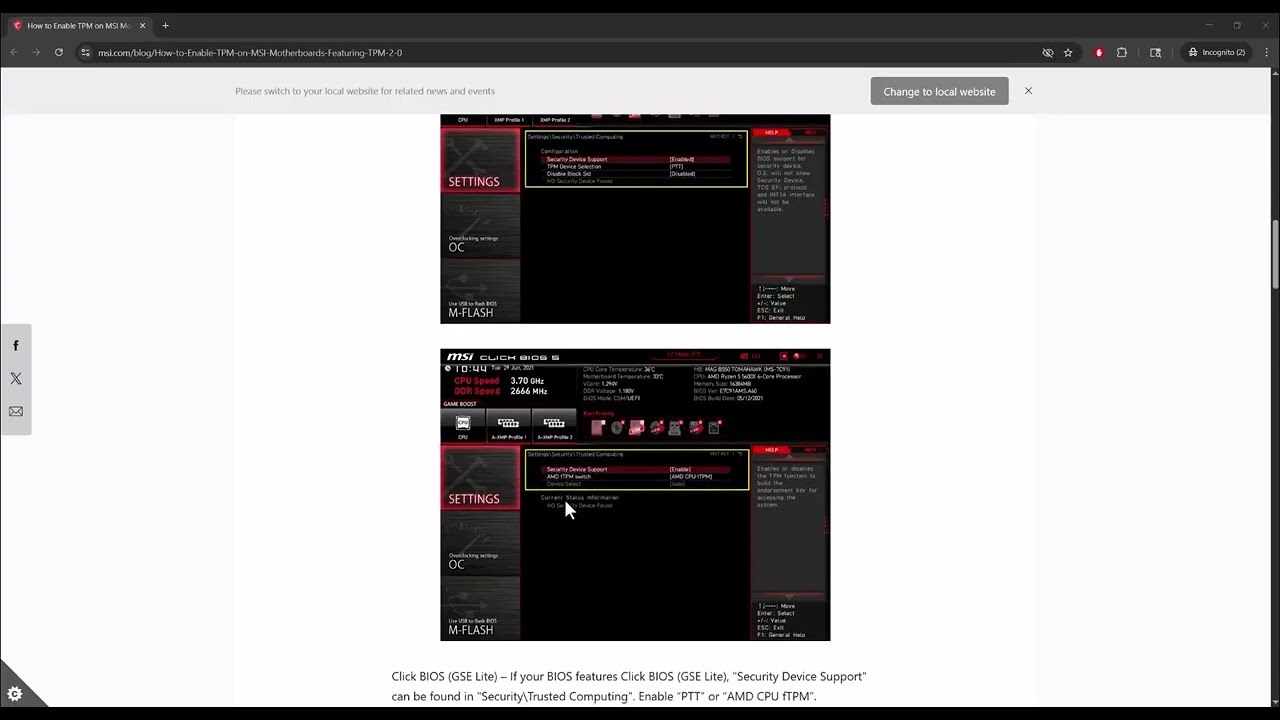
- Use the manufacturer’s manual. Locate a menu such as Security, Advanced, or Trusted Computing. Menu names vary significantly.
- Enable the correct TPM option. Intel systems may call it Intel PTT or Security Device Support; AMD systems often use AMD CPU fTPM. Do not change unrelated firmware settings.
- Save and restart. Use the firmware’s Save & Exit command, then boot Windows.
- Verify again. Run
tpm.mscand confirm TPM 2.0 is ready. Runmsinfo32to check Secure Boot separately. - Launch Call of Duty. Allow the game’s security validation to finish. If the requirement remains, update Windows and consult Activision’s motherboard-specific section.
Why this works
TPM 2.0 provides hardware-backed measurements used by the game’s security and attestation system. Activision states that Black Ops 7 requires TPM 2.0 and Secure Boot. Enabling only TPM may not clear a warning that also reports Secure Boot or a failed attestation.
Alternatives and next checks
- If
tpm.mscreports no compatible TPM, check the manufacturer’s documentation before assuming the PC lacks the hardware. - If BIOS Mode is Legacy, do not switch to UEFI casually. Disk conversion and boot configuration may be required; follow Activision and Microsoft guidance or get professional help.
- If TPM is enabled but validation fails, install current Windows updates and check whether the motherboard maker provides a firmware update for your exact model.
Warnings
Firmware menus differ by model. The source video shows one MSI-style example, not a universal path. An incorrect UEFI change can stop Windows from booting or trigger a BitLocker recovery prompt. Do not clear the TPM, convert MBR/GPT, flash firmware, or disable security features merely to experiment. Use the exact manufacturer instructions.
Frequently asked questions
Is TPM 2.0 optional for Black Ops 7?
No. Activision’s current guidance says TPM 2.0 and Secure Boot are required for Black Ops 7.
Is Intel PTT the same as TPM 2.0?
Intel PTT is a firmware-based implementation that can provide the required TPM 2.0 capability when supported and enabled.
Why is TPM enabled but the game still complains?
Secure Boot may be off, Windows may need updates, or the firmware version may have a known attestation issue. Check Activision’s full guidance and the motherboard support page.
Source video
Official references
As an Amazon Associate I earn from qualifying purchases.