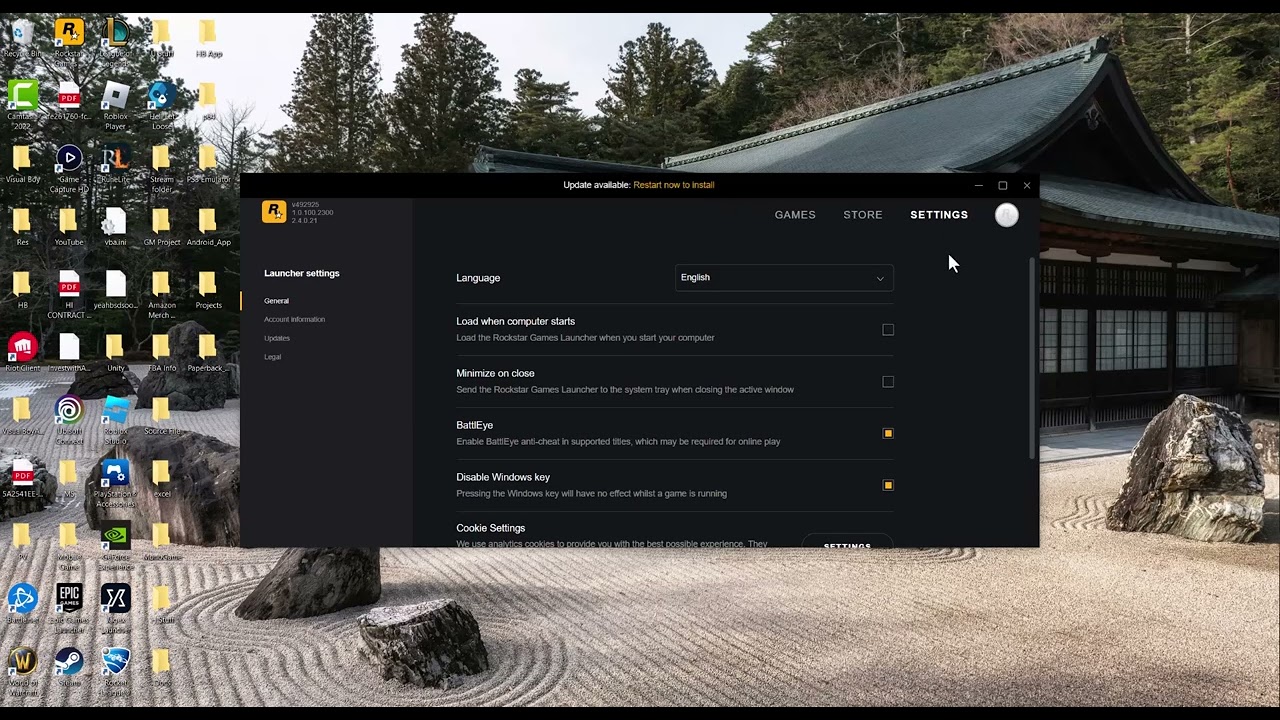
Quick answer: Update the Rockstar Games Launcher, verify GTA V, and remove third-party mod loaders from the game folder. You can disable BattlEye to test Story Mode only, but official GTA Online requires BattlEye and will not be available until it is enabled again.
Before you change anything
- Write down the full path and name shown in the blocked-file message.
- Close GTA V and every launcher.
- Create a backup folder outside the GTA V installation for any mod files you intentionally added.
- Do not delete files from
C:\Windowsor download DLLs from file-sharing sites.
Fix the blocked DLL message
- Update the launcher and game. Open the Rockstar Games Launcher, install pending updates, and restart the PC.
- Verify GTA V. Use the verification command in Rockstar Games Launcher, Steam, or Epic Games Launcher. This restores official files that are damaged or missing.
- Identify whether the DLL is a mod loader. Files such as
dinput8.dllin the GTA V game folder are commonly installed by mod tools. If you added one, move it to your backup folder rather than deleting it. Do not move a similarly named file from a Windows system folder. - Test an unmodified game. Remove other known mods from the installation and launch directly from the platform launcher, not a batch file or custom shortcut.
- Use the Story Mode test only if needed. In Rockstar Games Launcher, open Settings, select GTA V, and clear the BattlEye checkbox. Launch Story Mode. If it now works, the blocked component is likely conflicting with BattlEye.
- Restore online access. Close GTA V, enable BattlEye again, keep the installation unmodified, and launch from the normal platform launcher before entering GTA Online.
Why this works
BattlEye blocks files that can alter protected game code. That includes legitimate-but-incompatible overlays and many mod loaders. Returning the installation to its official state removes the conflict. Disabling BattlEye does not repair the file; it only provides a limited Story Mode test.
What not to do
- Do not download
dinput8.dll,xinput1_4.dll, or any other DLL from a random website. - Do not delete a blocked DLL from a Windows system directory.
- Do not try to enter official GTA Online with BattlEye disabled.
- Do not add broad antivirus exclusions unless Rockstar specifically documents the exact BattlEye folder and you have verified the path.
Important limitation: Turning off BattlEye prevents access to official GTA Online servers. This workaround is for diagnosing or using Story Mode only. Undo it by re-enabling BattlEye and restoring a clean game installation.
Frequently asked questions
Can I play GTA Online with BattlEye disabled?
No. Rockstar says BattlEye must be active for official GTA Online sessions.
Should I delete the blocked file?
Only remove a file you knowingly added to the GTA V folder, and move it to a backup first. Never delete an essential Windows DLL.
What if verification restores the file?
If the launcher restores it, it is part of the official installation. Keep it and troubleshoot the conflicting mod or program instead.
Official references
Source video
As an Amazon Associate I earn from qualifying purchases.