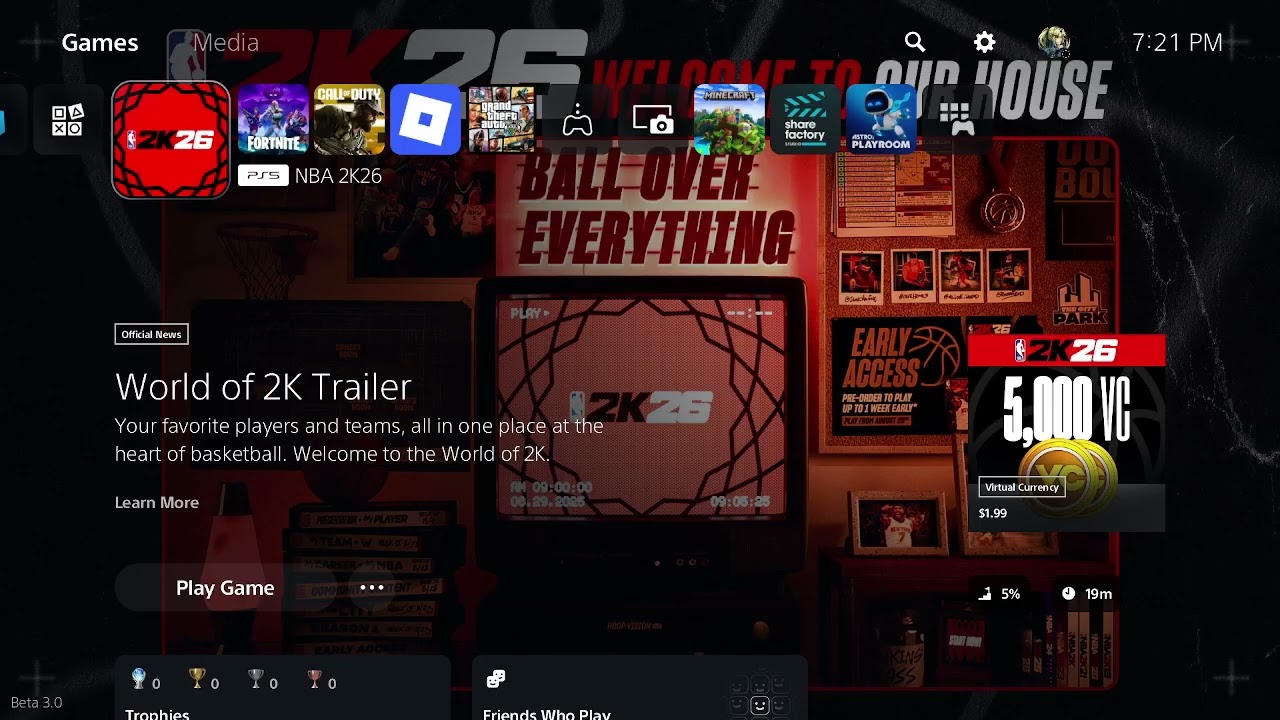
Quick answer: NBA 2K26 error 4B538E50 or EFEAB30C usually means the latest NBA 2K data has not finished downloading or syncing. On PS5, highlight NBA 2K26, press Options, and select Check for Update. Then open Play Now and allow the game to remain there—or complete a couple of Play Now games—until an update message appears. Return to the main menu when prompted and let the loading screen apply the data. Do not delete reserved space.
Moe Gaming’s video correctly starts with the PS5 update check and then demonstrates network fallbacks. Current 2K Support identifies missing or unsynced data as the most common cause, so this guide puts the official in-game update process ahead of DNS changes.
Before changing the network
- Keep the PS5 connected to the internet and signed in to the normal PlayStation account.
- Make sure there is free console storage for game updates.
- Do not delete NBA 2K26 reserved space. 2K warns that interrupting its recreation can cause EFEAB30C.
- Write down which code appears: 4B538E50, EFEAB30C, or both.
How to fix NBA 2K26 error 4B538E50 or EFEAB30C
1. Check for the PS5 game update
- Close NBA 2K26.
- Highlight NBA 2K26 on the PS5 home screen.
- Press the controller’s Options button.
- Select Check for Update.
- Install the full update and wait for copying or installation to finish.
- Restart NBA 2K26.
PlayStation documents this exact update path. The error can persist until both the console download and the in-game data application are complete.
2. Let NBA 2K26 download and apply its latest data
- Launch NBA 2K26 and select Play Now.
- Leave the game on that menu with a stable internet connection, or complete a couple of Play Now games.
- Watch for an update message in the corner of the screen.
- When prompted, return to the main menu.
- Allow the loading screen to apply the update without closing the game.
2K says this is the most common fix. Depending on download speed and how far the data is out of sync, the message can take a long time—even hours—to appear. Do not cancel the process.
3. Restart the PS5 after the update is applied
Once NBA 2K26 returns to the main menu, close the game, restart the PS5, and launch it again. This confirms that the newly applied data survives a clean game session.
4. Reverify the NBA 2K account
If the data is current but the error remains, 2K lists account verification as another possible cause:
- On a phone or computer, open the official NBA 2K website.
- Select Sign In.
- Sign in through the same platform service used for NBA 2K26.
- After a successful sign-in, restart the PS5 and open NBA 2K26.
Use only the official NBA 2K site and normal platform sign-in flow. Never share the account password or a verification code.
5. Check the console’s NBA 2K account limit
2K says a console can create a maximum of five NBA 2K accounts. If more than five have been created, server access can be restricted to the first five accounts ever created on that console. If this applies, changing DNS will not fix it; contact 2K Support with the console and account details.
6. Troubleshoot the connection only after data and account checks
- Check 2K and PlayStation service status.
- Restart the router and PS5.
- Connect the PS5 by Ethernet if possible.
- On Wi-Fi, go to Settings > Network > Settings > Set Up Internet Connection, highlight the network, press Options, and compare 5 GHz with 2.4 GHz.
- As a final name-resolution test, open Advanced Settings and use Cloudflare DNS: 1.1.1.1 primary and 1.0.0.1 secondary.
- Return DNS to Automatic if there is no improvement.
These are the network steps shown in the source video. They can help when the PS5 cannot reach 2K services reliably, but DNS will not apply missing NBA 2K data or bypass an account restriction.
Why the official update method works
NBA 2K uses reserved space and in-game downloads for updates and patches. The console can report the base application as updated while NBA 2K still needs to download or sync its latest data. Staying in Play Now lets that background process complete, and returning to the main menu applies it.
If the codes still appear
- Do not delete reserved space. Leave Play Now open again and wait for the update message.
- Confirm the PS5 has sufficient free storage.
- Check whether the NBA 2K account is expired or needs verification.
- Use 2K’s requested PathPing and TraceRoute only when 2K Support asks for diagnostic results.
- Contact 2K Support with the code, platform, account, approximate time, and steps already completed.
Warnings and common mistakes
- Do not delete reserved space. 2K explicitly warns against it.
- Do not close the game while the update is being applied.
- Do not assume a faster DNS server replaces the missing game data.
- Do not create additional NBA 2K accounts to test the error; the console account limit can make the problem worse.
- Do not reinstall the entire game until the official update, sync, account, storage, and network checks are complete.
Optional network accessory
As an Amazon Associate I earn from qualifying purchases.
- Cable Matters Cat 6 Ethernet cable — useful only if the PS5 can be tested directly at the router after the required NBA 2K data is current.
Watch the original Moe Gaming walkthrough
Frequently asked questions
What do 4B538E50 and EFEAB30C mean?
2K says the common cause is that the latest NBA 2K data has not been fully downloaded or applied. Account verification, account limits, blocking software, or out-of-sync data can also be involved.
How long should I wait in Play Now?
2K says a couple of Play Now games is often enough, but severely out-of-sync data can take much longer. Keep the connection stable and wait for the in-game update message.
Should I delete reserved space?
No. 2K specifically says not to delete it. If the reserved space must be recreated and the process is interrupted, EFEAB30C can occur.
Will changing DNS fix the error?
Only if name resolution or the network path is part of the problem. It cannot replace missing update data, verify an account, or change the console’s NBA 2K account limit.