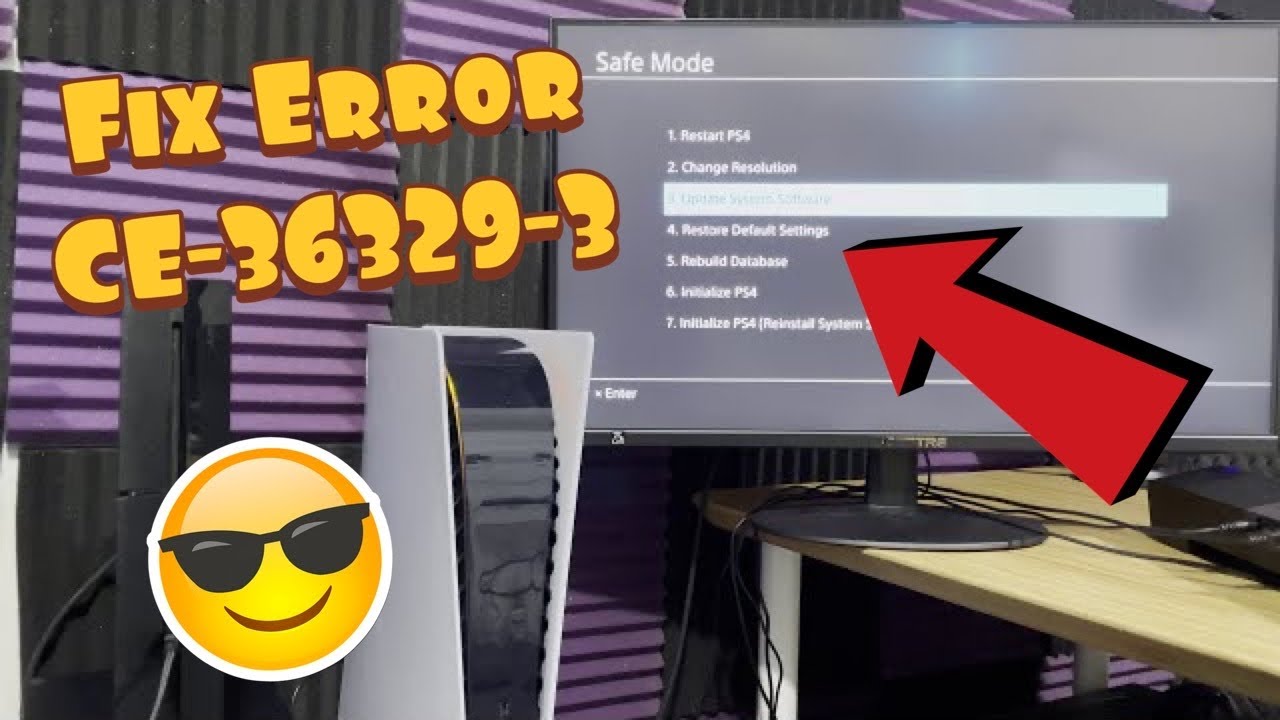
Quick answer: CE-36329-3 is a PS4 system-software error. Install the latest system software and restart. If it returns, enter Safe Mode and choose Update System Software. Rebuild Database is a non-destructive follow-up; initialization is destructive and belongs at the end, after a complete backup.
Before you start
- Connect the controller with a data-capable USB cable for Safe Mode.
- Back up saves, captures, and other important data before any initialization step.
- Keep the console connected to reliable power during an update.
Fix CE-36329-3 safely
- Install the normal system update. Go to Settings > System Software Update and install the newest version.
- Restart the PS4. If the error appeared while a game was running, check that game’s update too.
- Enter Safe Mode. Turn the console off. Hold the power button until the second beep, about seven seconds later, then connect the controller by USB and press the PS button.
- Select Update System Software. This is option 3 on PS4. Choose the internet method if the console is online, or use PlayStation’s official USB update instructions.
- Rebuild Database if needed. Return to Safe Mode and choose option 5, Rebuild Database. This rescans stored content and can repair a damaged index without intentionally deleting saves.
- Test before doing anything destructive. Launch the affected game and use the console normally. If the code returns across several apps, back up everything you can.
- Initialize only after backup. PlayStation’s CE-36329-3 page lists Initialize PS4 as the next step if the error recurs. This deletes local data. Prefer standard Initialize PS4 before the deeper Reinstall System Software option, and contact PlayStation Support when uncertain.
Why these steps work
A system update replaces faulty operating-system components. Safe Mode starts the console with minimal services, letting it update or rebuild its content index when the normal interface cannot. Initialization can remove deeper corruption, but it does so by erasing the console and should never be the opening move.
Alternatives
If CE-36329-3 happens only in one game, update or reinstall that game before resetting the console. If it appears in many games after a clean system update and database rebuild, use PlayStation Repairs. The source video also shows Safe Mode option 7, but that option deletes all user data and reinstalls the firmware; this guide reserves it for an official support-directed recovery.
Warnings
- Initialize PS4 and Reinstall System Software erase local data.
- Use only the official PlayStation update file; do not download firmware from mirror sites.
- Do not unplug the console during an update or database rebuild.
Frequently asked questions
Does Rebuild Database delete saves?
It is designed to rescan the drive rather than erase user data, but back up important data before any Safe Mode maintenance.
What if the error happened once?
Update and restart, then monitor it. Do not initialize a console for a one-time crash.
When should I request repair?
If the error returns across multiple games after the official update and Safe Mode steps, contact PlayStation Support.
Official references
- PlayStation: PS4 error CE-36329-3
- PlayStation: start Safe Mode and understand its options
- PlayStation: PS4 system software
Source video
As an Amazon Associate I earn from qualifying purchases.