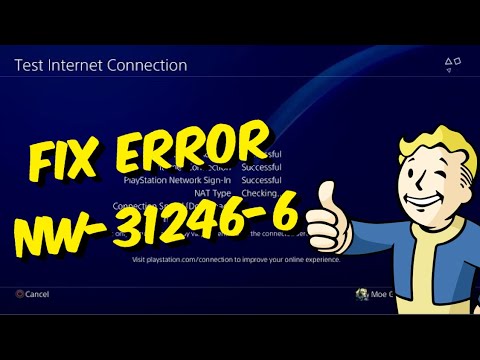
Quick answer: PlayStation defines NW-31246-6 as “DNS settings are invalid.” Restart the PS4 and router, recreate the internet connection with DNS set to Automatic, and test it. Use a trusted manual DNS only if the automatic setting still fails.
Before you start
- Keep the Wi-Fi password available.
- Write down any static IP, proxy or manual DNS values.
- If the network is managed by school, work, a hotel or another person, ask the administrator before changing it.
How to fix NW-31246-6
- Restart the PS4. Choose Power > Restart PS4 to refresh the connection.
- Power-cycle the router. Turn it off or unplug it for at least five minutes, then wait for it to reconnect fully.
- Set up the connection again. Go to Settings > Network > Set Up Internet Connection and choose Wi-Fi or LAN.
- Use Automatic DNS first. Choose Custom, then Automatic for IP Address Settings, Do Not Specify for DHCP Host Name, and Automatic for DNS Settings. Leave MTU on Automatic and choose Do Not Use for Proxy Server unless the network requires one.
- Test the connection. Select Test Internet Connection. If both internet access and PlayStation sign-in succeed, stop here.
- Try a trusted manual DNS only if necessary. Repeat the setup and enter one provider’s matching pair exactly. Google Public DNS uses 8.8.8.8 and 8.8.4.4; Cloudflare uses 1.1.1.1 and 1.0.0.1.
- Try Ethernet or another network. This helps distinguish a PS4 setting from a router or ISP problem.
Why this works
DNS translates service names into IP addresses. A mistyped, unavailable or blocked DNS server can prevent PSN access even while the PS4 connects to the router. Automatic DNS uses the router or provider’s configured service; a trusted public resolver is an optional fallback.
How to undo manual DNS
Run Set Up Internet Connection again and choose Automatic for DNS Settings. This returns the PS4 to the network’s normal configuration.
Alternatives
- Check the PlayStation status page in case the apparent DNS problem coincides with maintenance.
- Update router firmware using the router maker’s official instructions.
- Contact the ISP if multiple devices cannot resolve websites.
Warnings
- Do not mix the primary address from one DNS provider with the secondary address from another.
- Do not use an unknown DNS address copied from comments.
- Do not press the router’s factory-reset button.
FAQ
What does NW-31246-6 mean?
PlayStation’s current directory says the DNS settings are invalid.
Should I use Google or Cloudflare DNS?
Either can be tested, but neither is guaranteed to be faster or available on every network.
Will this delete games or saves?
No. Reconfiguring the network does not remove game data.
Official references
Source video
As an Amazon Associate I earn from qualifying purchases.