Quick answer: For Modern Warfare III or Warzone error 0x00001338, close the game and launcher, verify or repair the installed files, install current Windows and graphics-driver updates, and retest without overlays. Reinstall only after those checks.
The hexadecimal suffix can appear with different letters or numbers. It identifies a crash report, not one guaranteed root cause, so work from the safest checks toward the most disruptive.
Before you start
- Restart Windows once.
- Remove CPU, GPU, or RAM overclocks while testing.
- Make sure the system meets the game’s current requirements and has free SSD space.
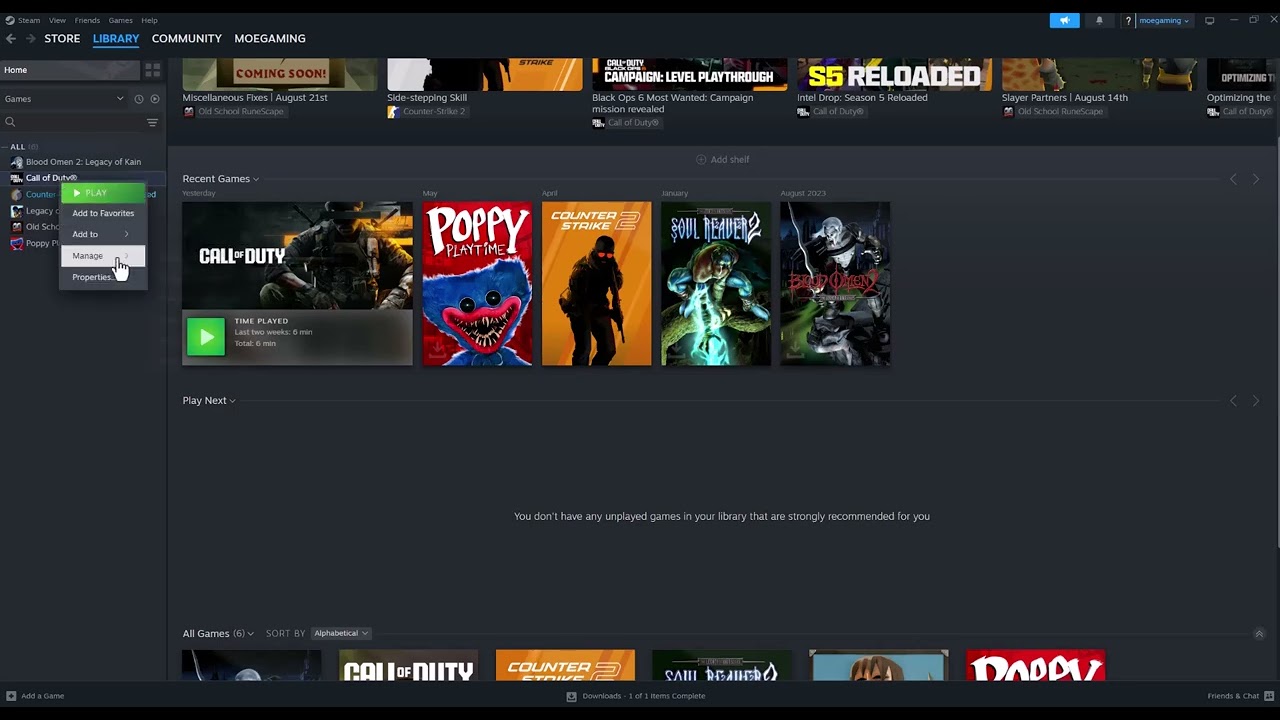
Steam: verify the game files
- Open Steam > Library.
- Right-click Call of Duty or Modern Warfare III and choose Properties.
- Select Installed Files.
- Choose Verify integrity of game files and allow the scan to finish.
- Restart Steam and launch the game normally.
Battle.net: scan and repair
- Open Battle.net and select Call of Duty.
- Open the cog menu beside Play.
- Choose Scan and Repair > Begin Scan.
- Let Battle.net replace damaged files, then restart the launcher.
Continue with these safe checks
- Update Windows. Install normal stable updates and restart.
- Update the display driver from NVIDIA, AMD, or Intel. Use the hardware vendor’s official app or site. Do not download DLL files or drivers from unofficial mirrors.
- Disable overlays temporarily. Turn off Steam Overlay, Discord Overlay, GeForce/NVIDIA overlay, Xbox Game Bar, and monitoring overlays one at a time.
- Remove incompatible launch options. Clear experimental command-line flags. Do not force DirectX 11 unless Activision explicitly supports it for the title.
- Test a clean reinstall last. Uninstall the required Call of Duty content, restart, and reinstall the correct Modern Warfare III/Warzone packages. Current Activision guidance notes that MWIII has moved to a standalone title, so review the selected content before deleting anything.
Why this works
File verification compares local packages with the launcher manifest and reacquires missing or changed files. Driver and Windows updates address graphics and runtime faults. Disabling overlays removes software that injects into the game’s rendering process.
Warnings and alternatives
- Reinstalling can consume a large download and may remove optional campaign or high-resolution packages. Review them first.
- Do not disable antivirus permanently. If security software is implicated, use a narrow official game-folder exception and reverse it after testing.
- Do not delete personal Documents folders, random registry keys, or download replacement DLLs.
- If the crash persists, submit Activision’s PC crash report with the code and system information.
Frequently asked questions
Will verifying files erase progress?
Online progression is account-based. Verification replaces installation files; it does not intentionally reset online progress.
Should I reinstall the graphics driver?
Start with the vendor’s current recommended driver. A clean driver install is a later troubleshooting step, not the first.
Does the exact suffix matter?
Record it for support, but do not assume every 0x00001338 crash has the same cause.
Official references
- Modern Warfare III support and known issues
- Activision PC troubleshooting
- Activision graphics-driver guidance
Source video
As an Amazon Associate I earn from qualifying purchases.