Quick answer: For NBA 2K26 error code 56D85BB8 on PS5, check the NBA 2K server status first, install any game update, fully restart the console and router, and test with Ethernet. If the connection works but name resolution is unstable, try a reputable manual DNS service. Do not reinstall the game before you have ruled out a server outage or ordinary network problem.
Before you change anything
- Record the complete error code and when it appears: at launch, entering MyCAREER, or joining an online mode.
- Check the official NBA 2K server-status page. If the service is down, local changes will not restore it.
- Pause downloads and streaming on the PS5 and other devices during the test.
How to fix NBA 2K26 error 56D85BB8
- Close NBA 2K26 and check for an update. Highlight the game on the PS5 home screen, press Options, and select Check for Update. Let the update finish before reopening the game.
- Test the PS5 internet connection. Open Settings > Network > Connection Status > Test Internet Connection. If PSN sign-in or internet access fails, solve that connection problem before testing 2K again.
- Power-cycle the network. Turn off the PS5. Unplug the modem and router for about 60 seconds, reconnect them, wait for internet service to return, and then restart the console. This refreshes the route and network session without deleting game data.
- Run one wired test. Connect the PS5 directly to the router with Ethernet if possible. 2K recommends a wired console connection because Wi-Fi interference and signal changes can cause disconnections.
- Refresh your PlayStation session. Go to Settings > Users and Accounts > Other > Sign Out, restart the console, and sign back in to the same PSN account.
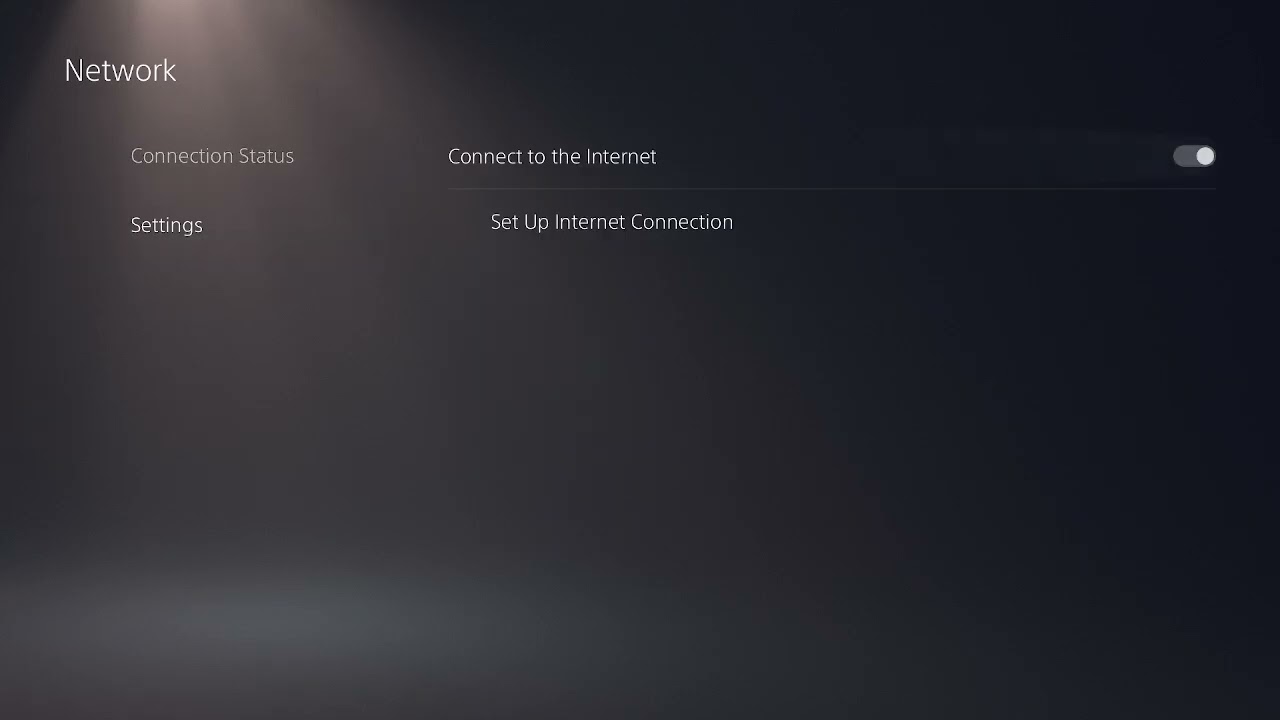
- Try manual DNS only as an optional network test. Go to Settings > Network > Settings > Set Up Internet Connection, highlight the active connection, press Options, and choose Advanced Settings. Set DNS to Manual and use either the values recommended by 2K or Cloudflare’s documented gaming-console resolver: Primary
1.1.1.1, Secondary1.0.0.1. Leave IP address, DHCP, proxy, and MTU settings unchanged unless your ISP tells you otherwise. - Restart and retest NBA 2K26. If the code returns on multiple networks while 2K servers are online, submit a 2K support request with the exact code, platform, time, and troubleshooting already completed.
Why these steps help
Error 56D85BB8 is presented as an online error, and 2K’s current console guidance treats connection errors by checking the service, validating the console connection, restarting network equipment, and testing Ethernet. Updating the game prevents a version mismatch. Manual DNS can help only when DNS lookup is part of the failure; it does not increase bandwidth or repair a 2K outage.
What not to do first
- Do not delete saved data or MyCAREER files for a network error.
- Do not repeatedly change IP, MTU, proxy, port-forwarding, and DNS values at the same time. You will not know which change mattered.
- Do not reinstall NBA 2K26 until server, update, PSN, and network checks have failed.
Other fixes worth trying
If the problem is limited to one profile, test a different local console user to identify an account-specific issue. If you are seeing a different NBA 2K online code, see our guide to NBA 2K26 errors 4B538E50 and EFEAB30C rather than assuming the fixes are identical.
Optional network gear
For a stable wired test, the Cable Matters Cat 6 Ethernet cable is a direct product option. A cable can reduce Wi-Fi interference, but it cannot fix a 2K server outage.
As an Amazon Associate I earn from qualifying purchases.
Frequently asked questions
Does changing DNS guarantee a fix for 56D85BB8?
No. DNS is an optional test for name-resolution problems. Server outages, account issues, game-version mismatches, and packet loss need different fixes.
Should I use 5 GHz or 2.4 GHz Wi-Fi?
Use 5 GHz when the console is near the router and the signal is strong. Try 2.4 GHz for longer range through walls. Ethernet is the clearest comparison test.
Will these steps delete my NBA 2K26 progress?
No. The steps above do not delete saved data. Avoid deleting saves while troubleshooting a connection code.