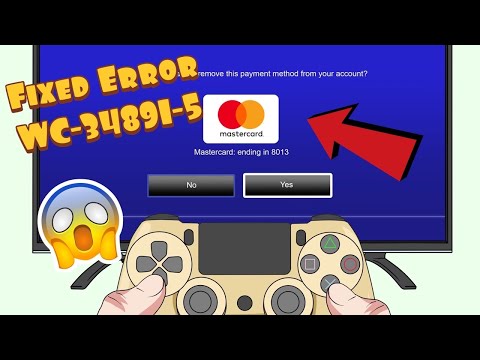
PS4 error WC-34891-5 means PlayStation Store could not validate the credit or debit card information. The usual cause is a mismatch between the details entered on PSN and the billing record held by the card issuer—not a problem with the game you are buying.
Quick answer
Re-enter the cardholder name, number, security code, expiry date, and billing address exactly as they appear on the issuer’s statement. Use a physical street address, avoid unsupported special characters, and make sure the card country matches the PlayStation Store region.
Before you start
- Have a recent card statement or your bank’s official app open so you can copy the registered billing address exactly.
- Confirm online payments are enabled and the card has available funds.
- Check the official PlayStation status page before repeatedly editing payment details.
How to fix PS4 error WC-34891-5
- Check every card field. Verify the cardholder name, full card number, CVV/security code, and expiry date. A single incorrect digit can trigger WC-34891-5.
- Match the billing address exactly. Use the address registered with the issuer, including the correct postal code. PlayStation says to use a physical street address rather than a PO Box or BFPO address.
- Simplify unsupported characters. If the name, address, or flat number contains accented or special characters, replace them with the nearest basic Latin letter and remove punctuation such as asterisks, hyphens, apostrophes, or slashes.
- Check the account region. A card registered in a different country from the PlayStation Store region may not link. Use a payment method registered to the same region when possible.
- Remove and add the card again. On PS4, open PlayStation Store, scroll to Payment Methods, remove the saved card, then add it again with the corrected details.
- Use a supported alternative if necessary. If the card still cannot be linked, use another accepted method or a PlayStation Store Wallet Top-Up code available for the same account region.
Why this fix works
Payment authorization compares PSN’s submitted identity and billing fields with the issuer’s record. Correcting the name, postal code, region, and character formatting lets that validation complete. Viewer comments especially mention postal-code mismatches, but results vary because banks, account regions, and supported payment types differ.
If the error is still happening
- If PlayStation says payment information was updated too often, stop trying for 24 hours. PlayStation warns that another attempt during the block restarts the 24-hour period.
- Contact the card issuer to confirm online transactions are enabled and the payment was not blocked.
- Use a region-compatible accepted payment method or wallet code. Related PS4 payment codes have different causes; see our WC-34737-4 guide and WS-43709-3 guide.
Important warnings
- Do not post card numbers, CVV codes, statements, or personal addresses in comments or support forums.
- Prepaid cards cannot be used to purchase subscriptions in situations identified by PlayStation; use a supported recurring payment method or wallet option.
- Only redeem wallet codes from legitimate sellers and on the official PlayStation interface.
Frequently asked questions
Why does WC-34891-5 appear when the card works elsewhere?
PlayStation still has to match the issuer’s billing data and account region. A valid card can fail if the saved address, postal code, characters, or region do not match.
Can I use a card from another country?
PlayStation says a card registered in a different country from the Store region may not link. Use a same-region payment method when possible.
Should I keep retrying?
No. If the account is temporarily blocked after too many edits, wait a full 24 hours; another attempt can restart the waiting period.
Can I use a wallet top-up code instead?
Yes, where available and compatible with your account region. Buy only from a legitimate seller and redeem through PlayStation Store.
Watch the source video
The public YouTube transcript was unavailable after the complete retry sequence. The steps above were independently checked against current PlayStation documentation and the visible source-page context; no unverified workaround was added.
Official references
- PlayStation: PS4 error WC-34891-5
- PlayStation: credit or debit card problems
- PlayStation: accepted payment methods
As an Amazon Associate I earn from qualifying purchases.