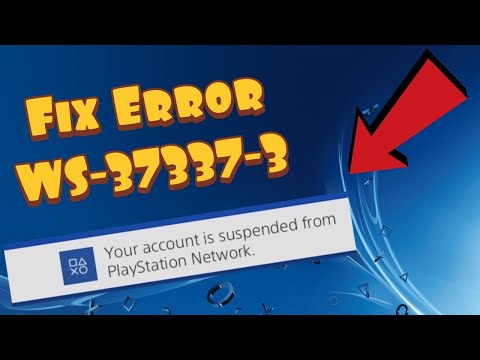
PS4 error WS-37337-3 means the account’s access to PlayStation Network has been temporarily suspended for a violation of the PlayStation Terms of Service or Community Code of Conduct. Router resets and game reinstalls cannot remove an account enforcement action.
Quick answer
Check the inbox and spam folder for the email address used as your PlayStation sign-in ID, then visit My Support through PlayStation’s official support pages. The email normally explains why the suspension happened and how long it lasts.
Before you start
- Know the sign-in ID (email address) attached to the affected PlayStation account.
- Use only playstation.com pages or links reached from the console/account portal.
- Record the exact code. WS-37337-3 is a temporary policy suspension; WS-37368-7 is a different chargeback-debt suspension.
How to fix PS4 error WS-37337-3
- Confirm the exact code. Take a photo or note of WS-37337-3 and the affected online ID. This prevents following advice for a different suspension type.
- Check the registered email account. Search the inbox, spam, junk, promotions, and deleted folders for messages from PlayStation. The notice normally states the reason and suspension period.
- Open My Support. Use the official Suspensions on PlayStation page and follow its My Support link to review account status.
- Read the applicable policy. Compare the notice with the PlayStation Terms of Service and Community Code of Conduct so you understand the enforcement reason.
- Wait for the stated end time. Temporary suspensions normally end after the period in the official notice. Do not create new accounts to evade enforcement.
- Contact official support for missing access details. If you cannot access the registered email or My Support, use PlayStation’s official account-recovery or support flow. Be ready to verify account ownership.
Why this fix works
WS-37337-3 is attached to the PlayStation account, not to local PS4 game files. Checking the registered email and My Support gives you the authoritative reason and duration. Source-page comments show that some players could not find an email or encountered an old link, so this guide points to PlayStation’s current suspension hub instead of promising an unofficial bypass.
If the error is still happening
- If you lost access to the sign-in email, use PlayStation’s official account recovery process.
- PlayStation currently limits appeals to certain cases, including account debt and some permanent suspensions. Its suspension page does not promise an appeal for every temporary suspension.
- If your screen shows WS-37368-7, use our chargeback suspension guide instead.
Important warnings
- No DNS setting, router reset, database rebuild, or game reinstall can lift a PlayStation account suspension.
- Never pay a stranger, buy gift cards for an unsolicited support agent, or share account verification codes.
- Do not assume an exact end time unless it appears in your official notice or My Support account status.
Frequently asked questions
Is WS-37337-3 a permanent ban?
The official error page describes it as a temporary suspension. Your PlayStation email or My Support status should provide the duration.
Why did I not receive an email?
Check spam and the email tied to the account. If you no longer control it, use official account recovery or contact PlayStation Support.
Can I appeal WS-37337-3?
PlayStation offers appeals only in certain suspension cases. The current suspension hub does not guarantee an appeal for every temporary enforcement action.
Will making a new PSN account fix it?
It does not remove the enforcement from the suspended account and may violate policy if used to evade a suspension. Follow the official notice instead.
Watch the source video
The public YouTube transcript was unavailable after the complete retry sequence. The steps above were independently checked against current PlayStation documentation and the visible source-page context; no unverified workaround was added.
Official references
- PlayStation: PS4 error WS-37337-3
- PlayStation: suspensions on PlayStation
- PlayStation: account recovery
As an Amazon Associate I earn from qualifying purchases.