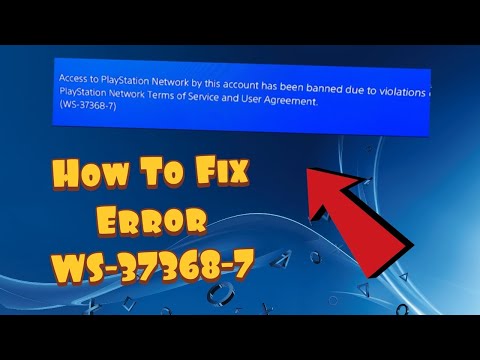
PS4 error WS-37368-7 means a financial institution reversed one or more PlayStation Store charges, and PlayStation suspended the account while the chargeback is investigated. This is an account-debt issue, not a Wi-Fi, DNS, database, or game-installation problem.
Quick answer
Open PlayStation’s official account-debt suspension page, check My Support, and use the Restore account access form. If the purchase was valid and there was no lawful reason for the reversal, PlayStation says access remains suspended until the balance is repaid through its official process.
Before you start
- Have the affected PSN sign-in ID and account details available for ownership checks.
- Review your PlayStation transaction history and bank/card statement so you know which payment was reversed.
- Use only playstation.com, My Support, or links opened from official PlayStation support.
How to fix PS4 error WS-37368-7
- Confirm WS-37368-7. Record the exact code and affected online ID. Other suspension codes follow different rules.
- Review the account status. Visit PlayStation’s official account-debt suspension guide and open My Support.
- Match the reversed transaction. Compare PlayStation transaction history with the card or bank statement. Check whether a family member, recurring subscription, or another account explains the charge.
- Choose the correct official path. If the charge was valid, use PlayStation’s Restore account access form to resolve the balance. If it was genuinely unauthorized, follow PlayStation’s unauthorized-transaction and compromised-account guide instead.
- Complete identity and payment checks securely. Provide information only in the official form or verified support session. Keep case numbers and confirmation emails.
- Wait for PlayStation’s confirmation. Account access is restored by PlayStation after the debt or investigation is resolved; local console changes cannot force it.
Why this fix works
A chargeback removes funds from the merchant after a purchase. PlayStation treats that reversal as a possible fraud or account-takeover signal and suspends access while it investigates. Resolving the underlying balance or unauthorized-payment case through PlayStation is the only relevant path. The source page contains a comment directing people to buy gift cards for a supposed helper; that is a scam pattern and must be ignored.
If the error is still happening
- If you do not recognize the transaction, secure the email account and PSN account, review transaction history, and use PlayStation’s unauthorized payment guide before taking further action.
- If a family member made the purchase, review family spending limits and require a password at checkout after the case is resolved.
- If the code is WS-37337-3 instead, read our temporary policy suspension guide.
Important warnings
- Never pay an unsolicited social-media or comment-section ‘support agent,’ and never buy gift cards to have a suspension removed.
- Do not share one-time codes, passwords, full card numbers, or identity documents outside PlayStation’s verified support flow.
- Do not file another chargeback merely to test the process; speak with PlayStation and your financial institution about the actual transaction.
Frequently asked questions
What caused WS-37368-7?
PlayStation says the financial institution reversed a charge on one or more PlayStation purchases, creating an account-debt suspension.
Can a router reset or database rebuild fix it?
No. The restriction is on the PlayStation account and must be handled through PlayStation’s official account-debt process.
What if the purchase was not mine?
Use PlayStation’s unauthorized-transaction guide and secure both your email and PSN account. Do not blindly repay a transaction you genuinely dispute without following the official investigation path.
How long does restoration take?
PlayStation does not give one universal time on the public guide. Keep the official case confirmation and wait for the status update after the balance or investigation is resolved.
Watch the source video
The public YouTube transcript was unavailable after the complete retry sequence. The steps above were independently checked against current PlayStation documentation and the visible source-page context; no unverified workaround was added.
Official references
- PlayStation: PS4 error WS-37368-7
- PlayStation: reverse a suspension for account debt
- PlayStation: unauthorized charges and compromised accounts
As an Amazon Associate I earn from qualifying purchases.