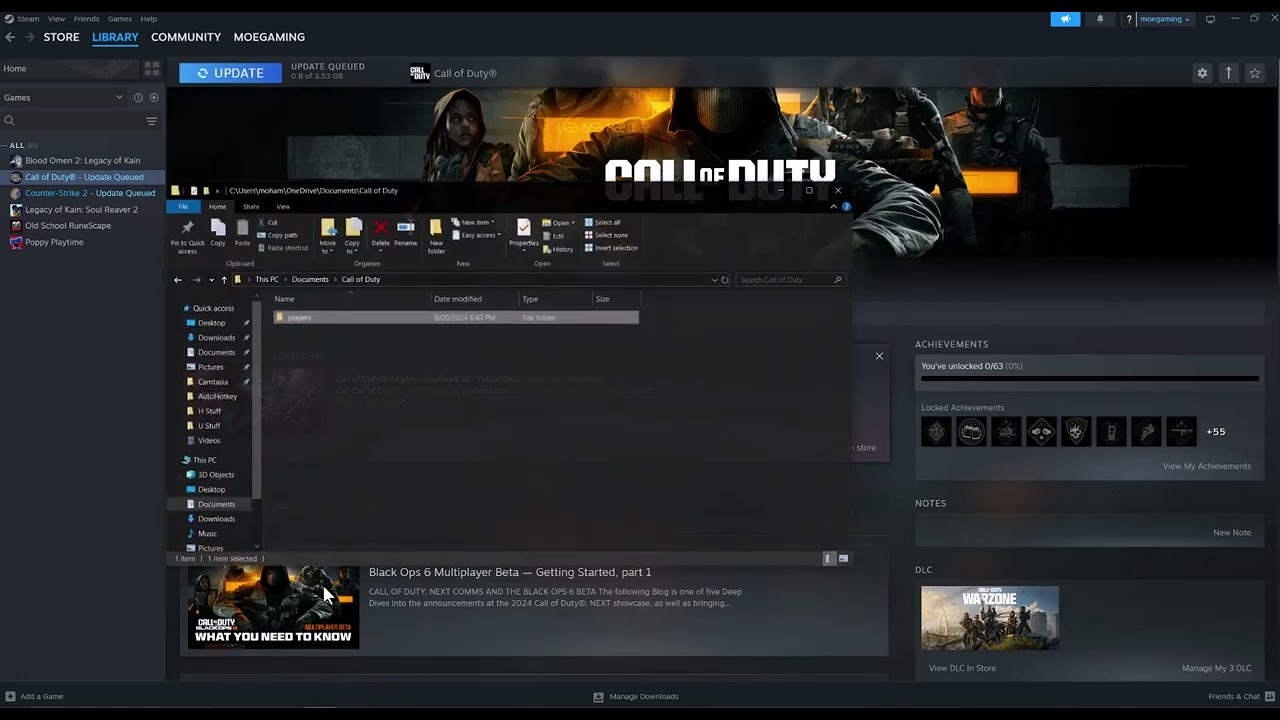
Quick answer: Close Call of Duty and its launcher, back up the Documents\Call of Duty\players folder, then rename it to players-backup. Relaunch the game so it creates a clean players folder. This is a reversible, video-demonstrated workaround for 0x00001338 N and some startup crashes labeled 0xc0000005 N; it may reset local graphics and control settings and is not a guaranteed fix for every access violation.
Before you start
- Close Black Ops 6, Call of Duty HQ, and Steam, Battle.net, or the Xbox app.
- Do not permanently delete the folder first. Renaming gives you an undo path.
- Take screenshots of sensitive, graphics, controller, and keybind settings you want to restore manually.
Rebuild the players folder
- Confirm the game is closed. Open Task Manager and end any remaining Call of Duty process only after the game has finished saving.
- Open Documents. In File Explorer, go to
Documents\Call of Duty. OneDrive users may find Documents inside the OneDrive folder. - Back up the folder. Copy the
playersfolder to another location, or at minimum confirm cloud sync is not actively writing to it. - Rename it. Change
playerstoplayers-backup. Renaming is safer than deleting because you can restore individual configuration files later. - Launch Call of Duty. The game should create a new
playersfolder with default local settings. - Let shaders finish. Do not force-close the game while shader preloading or first-run setup is in progress.
- Test before restoring settings. Reach the main menu and test a mode. Reapply settings manually in small groups so you can identify a value that reintroduces the crash.
Why this can work
The players folder stores local configuration and cached game-specific state. If one of those files is malformed or incompatible after an update, Call of Duty can crash before reaching the menu. Renaming the folder forces a clean local configuration without changing the installed game files.
If it does not work
- Restore the original folder by closing the game, deleting the newly generated
playersfolder, and renamingplayers-backupback toplayers. - Verify or scan and repair the game files in the launcher.
- Install Activision’s recommended graphics driver, not an unverified third-party package.
- Disable overlays and monitoring hooks temporarily, then re-enable them one at a time.
- Remove any CPU/GPU overclock for a test and check Windows Update.
Warnings and limitations
This workaround resets local settings and may prompt you about cloud-versus-local configuration. Read any cloud-sync dialog carefully. Do not delete unrelated Documents folders or online account data. The generic code 0xc0000005 can have many causes; this guide applies specifically when Black Ops 6 crashes during startup and the source video’s players-folder reset matches the symptom.
Frequently asked questions
Will this erase online progression?
Black Ops progression is tied to the online account, but local graphics, input, and accessibility preferences can reset. Keeping the backup protects the original local files.
What if there is no Call of Duty folder?
Check the OneDrive Documents location. If the game has never created the folder, this workaround does not apply.
Should I copy the whole backup into the new folder?
No. That can restore the corrupt state. Reapply settings in the game; restore individual files only if you know exactly what they contain.
Source video
Official references
As an Amazon Associate I earn from qualifying purchases.