Quick answer: Confirm GTA V is using the intended Windows output device, run the audio troubleshooter, test Windows Sonic off and on, and disable audio enhancements if sound is distorted.
As an Amazon Associate I earn from qualifying purchases.
Before you start
- Close GTA V before changing the device format or enhancements.
- Connect the headset or speakers directly and select them as the Windows output.
- Remember the current spatial-sound and enhancement settings.
How to fix it
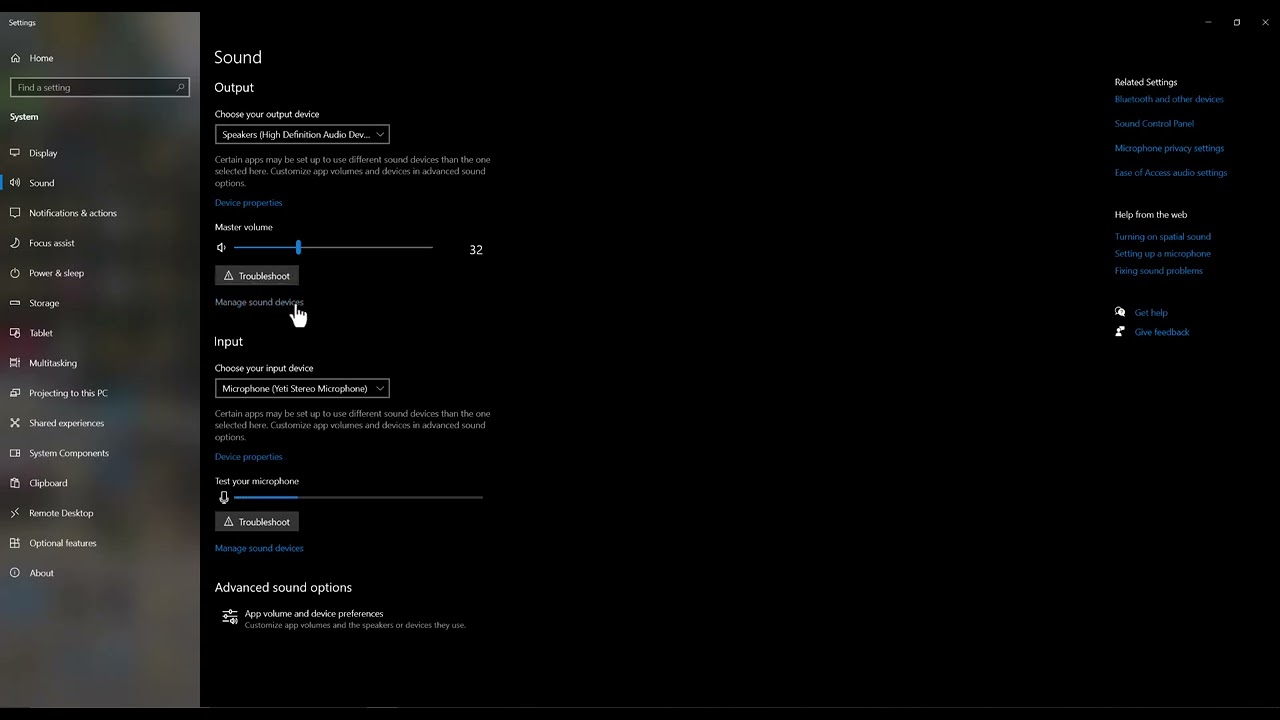
- Select the right output. Open Settings > System > Sound and choose the headset or speakers you want GTA V to use.
- Run the audio troubleshooter. Use Windows Get Help audio troubleshooting and apply only relevant recommendations.
- Test spatial sound. Open the output device properties and switch Windows Sonic for Headphones on for a headphone test. If it was already on and sound is distorted, switch it off and test again.
- Test enhancements. In Audio enhancements, turn enhancements off first. Microsoft specifically recommends this for crackling or distortion. Do not enable loudness equalization unless the problem is low dialogue or uneven volume.
- Restart the game. Launch GTA V Enhanced and recheck Story Mode before testing GTA Online.
Why this can work
GTA V Enhanced outputs audio through the Windows device and processing chain. An incorrect output, spatial format, or driver enhancement can cause silence, crackling, or badly balanced channels even when the game itself is installed correctly. Testing one setting at a time identifies the layer causing the problem.
Other safe fixes to try
- Update the audio driver from the PC or device manufacturer.
- Disconnect unused Bluetooth and HDMI audio outputs.
- Verify GTA V files in the launcher if only this game is affected.
- Reset GTA V audio settings to defaults.
Warnings and how to undo the change
The best spatial-sound setting depends on the device. Windows Sonic can improve headphones but may sound wrong on some speaker setups. Every change here is reversible. Avoid third-party “driver updater” packages; use Windows Update or the hardware manufacturer.
Frequently asked questions
Should loudness equalization always be enabled?
No. It changes dynamic range and may make music or effects sound unnatural.
Why is GTA V silent while other apps work?
The game may have opened on a different output device or retained a stale audio session.
Does this affect GTA Online access?
No. These are local Windows audio settings.
Official references
- Microsoft: Fix sound or audio problems
- Microsoft: Turn on spatial sound
- Microsoft: Fix distorted or crackling audio
Source video
The menu path demonstrated in this Moe Gaming video was used as source material and checked against the official guidance linked above.