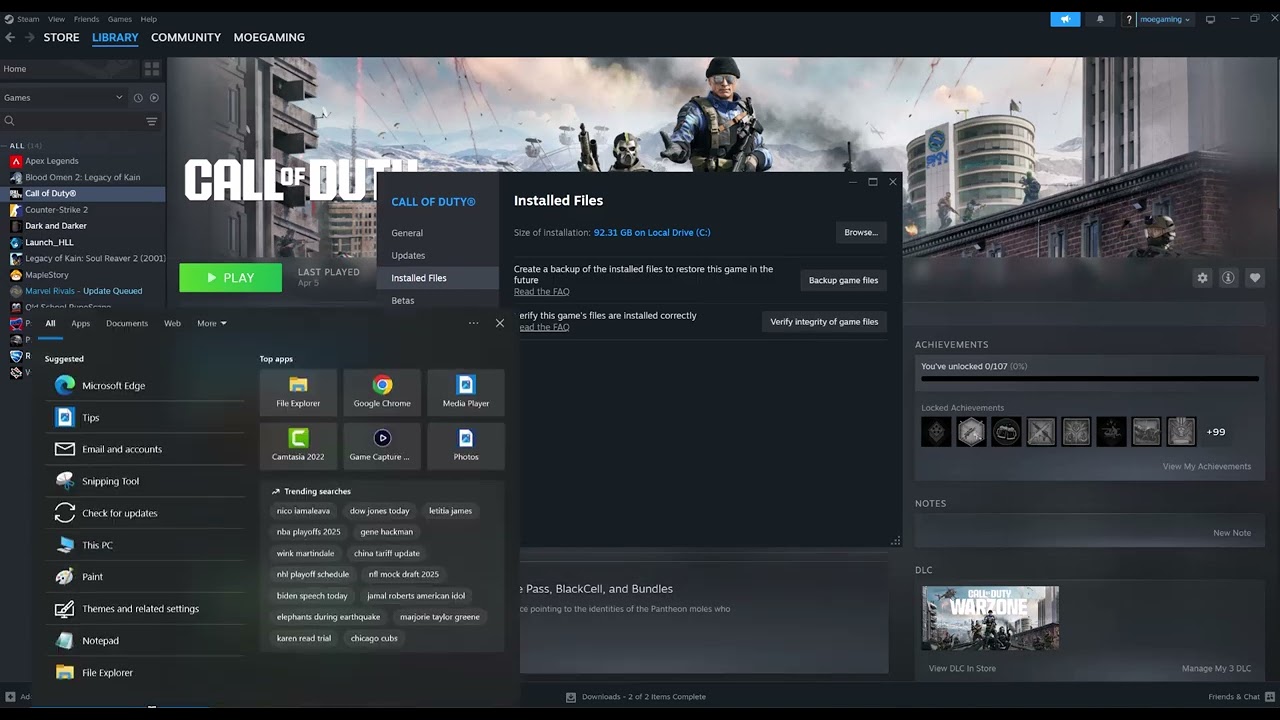
Quick answer: Verify NBA 2K25 files in Steam, restart the PC, and install the latest stable graphics driver directly from NVIDIA, AMD, Intel, or the PC manufacturer.
As an Amazon Associate I earn from qualifying purchases.
Before you start
- Back up custom files and remove mods before testing.
- Confirm the PC meets NBA 2K25 system requirements.
- Finish pending Windows updates and restart once.
How to fix it
- Verify the installation. In Steam Library, right-click NBA 2K25, open Properties > Installed Files, and select Verify integrity of game files. Wait for Steam to finish.
- Restart Windows. This clears locked files and completes pending updates.
- Update the graphics driver. Identify the GPU in Device Manager, then download the stable driver from NVIDIA, AMD, Intel, or the PC maker. Restart after installation.
- Test without overlays. Disable the Steam, Discord, recording, and GPU overlays for one launch.
- Use stock settings. Remove launch options, CPU/GPU overclocks, and mods, then test an offline game.
Why this can work
Steam verification compares installed files with the current depot and replaces missing or damaged files. A current graphics driver can repair crashes caused by shader compilation or an outdated API path. Clean testing separates a game problem from overlays, mods, and unstable system tuning.
Other safe fixes to try
- Allow NBA 2K25 through antivirus protection instead of disabling security.
- Repair Microsoft Visual C++ components through official Microsoft installers if 2K support recommends it.
- Send a 2K support ticket with the crash time, system information, and logs.
Warnings and how to undo the change
Steam may redownload modified files, so back up legitimate custom content. Download drivers only from the GPU or PC manufacturer, not search ads or “driver updater” sites. Do not delete save folders while diagnosing a launch crash.
Frequently asked questions
Will file verification delete MyCAREER progress?
It checks installed game files, not normal cloud or local save data, but keeping a backup is still sensible.
Should I choose a beta GPU driver?
Use the latest stable or recommended release unless 2K specifically identifies a beta fix.
What if the crash began after an update?
Verify files first, then check current 2K notices before making deeper system changes.
Official references
- Steam: Verify integrity of game files
- 2K Support: PC general troubleshooting
- 2K Support: Steam general troubleshooting
Source video
The menu path demonstrated in this Moe Gaming video was used as source material and checked against the official guidance linked above.