Quick answer: Verify Elden Ring in Steam, restart Windows, install the latest stable graphics driver from the GPU or PC manufacturer, and launch without mods or overlays.
As an Amazon Associate I earn from qualifying purchases.
Before you start
- Back up saves before troubleshooting. Elden Ring save data is separate from installation files.
- Remove mods, ReShade, and unofficial DLLs from the test path.
- Check that Windows and the game are fully updated.
How to fix it
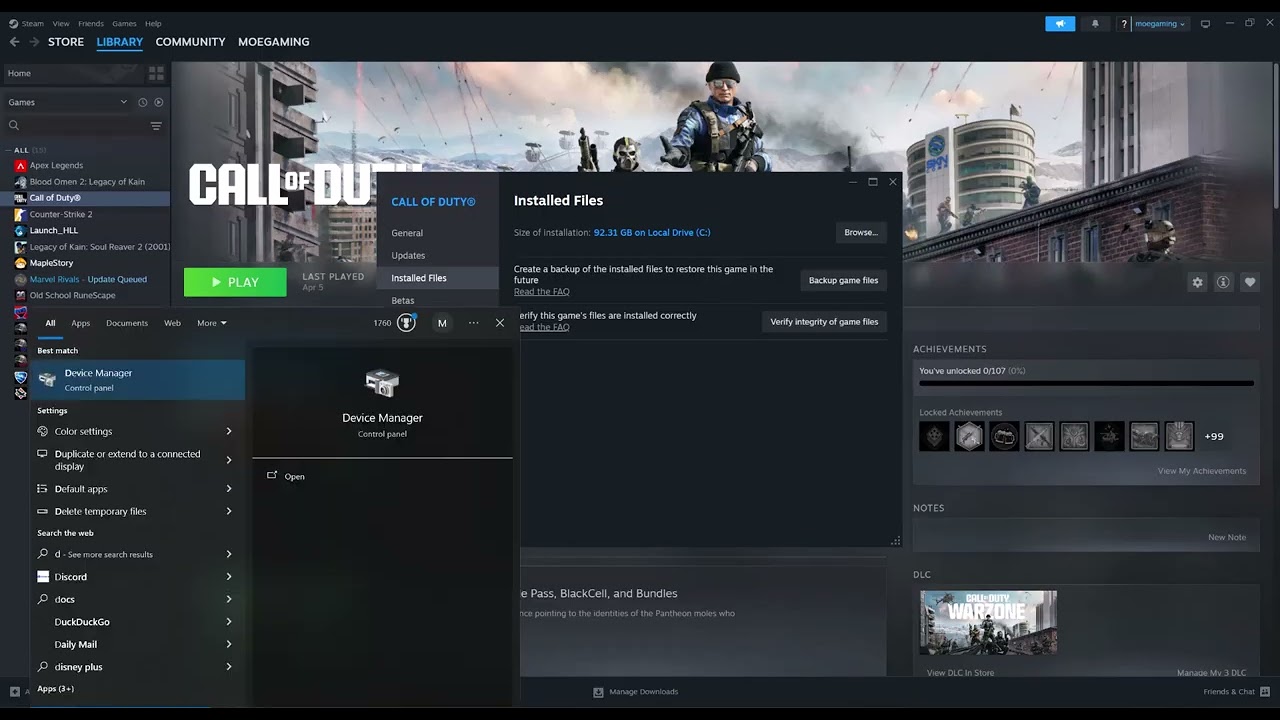
- Verify game files. In Steam Library, right-click Elden Ring, choose Properties > Installed Files > Verify integrity of game files, and let Steam finish.
- Restart the PC. This releases locked files and finishes driver or Windows changes.
- Update the GPU driver. Identify the card in Device Manager and install the stable driver from NVIDIA, AMD, Intel, or the PC manufacturer.
- Test a clean launch. Remove launch options, disable overlays, and launch the unmodified game.
- Check official notices. Review current Elden Ring patch notes and Bandai Namco support for known crash issues before changing deeper Windows settings.
Why this can work
Damaged game files and graphics-driver incompatibilities are common launch-crash causes. Verification restores the current Steam build, while an official driver update refreshes the DirectX and shader components the game uses. Removing modifications makes the test reproducible.
Other safe fixes to try
- Temporarily disable Steam, Discord, and capture overlays.
- Return CPU, memory, and GPU tuning to stock settings.
- Confirm the game uses the dedicated GPU on a laptop.
- Contact Bandai Namco support with system information and the exact crash point.
Warnings and how to undo the change
Verifying files can remove modified files, so back up mod configurations first. Never download replacement DLLs or “crash fix” executables from unknown sites. Updating through Device Manager may not find the newest driver; use the official manufacturer site, not a generic search result.
Frequently asked questions
Does verification erase saves?
It normally checks installation files, not save data, but back up saves before troubleshooting.
Can Easy Anti-Cheat reject mods?
Yes. Test the unmodified game and follow official rules for online play.
What if the game crashes only after loading a character?
That may point to a save, mod, or specific graphics setting rather than the base installation.
Official references
Source video
The menu path demonstrated in this Moe Gaming video was used as source material and checked against the official guidance linked above.