Quick answer: First confirm that the GPU running Battlefield 6 has at least 6GB of dedicated VRAM, EA’s published minimum. On a dual-GPU laptop, set Battlefield 6 to High performance in Windows Settings > System > Display > Graphics, restart the game, and confirm it uses the discrete GPU. Update the graphics driver and lower texture-related settings. Windows cannot convert ordinary system RAM into enough dedicated VRAM for a GPU that does not meet the requirement.
Before you change graphics settings
- Open Task Manager > Performance > GPU and note the GPU model and Dedicated GPU memory.
- Compare the hardware with EA’s current minimum: an RTX 2060, RX 5600 XT 6GB, or Intel Arc A380-class GPU with 6GB VRAM.
- Install pending Battlefield 6 and Windows updates.
- Do not use registry “VRAM increase” tricks; they do not add physical video memory.
How to fix Battlefield 6 insufficient VRAM
- Make sure Battlefield 6 is using the discrete GPU. Open Settings > System > Display > Graphics. Add or select the Battlefield 6 executable, choose Options, select High performance, and save. Restart the game.
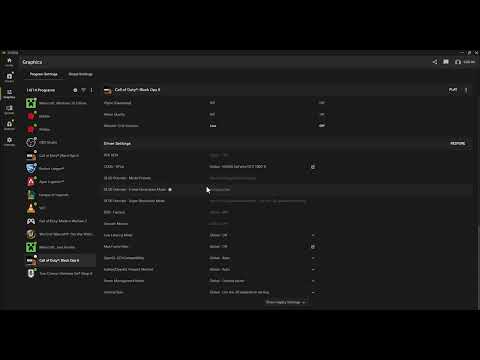
- Use Windows preference before NVIDIA Control Panel. NVIDIA documents that Windows 10 20H1 and later can override the Control Panel’s preferred-processor setting. If Windows has no preference, open NVIDIA Control Panel > Manage 3D settings > Program Settings, add Battlefield 6, and select the high-performance NVIDIA processor where that option exists.
- Update the GPU driver from its manufacturer. Install the current driver from NVIDIA, AMD, or Intel, then restart Windows. Do not use a third-party driver-download site.
- Close programs using GPU memory. Exit browsers with hardware-heavy tabs, recording or streaming software, other games, GPU-accelerated editors, and unnecessary overlays. Check Task Manager again before launching Battlefield 6.
- Lower VRAM-heavy game settings. Start with texture quality, texture filtering, mesh or terrain detail, ray tracing, and resolution scale. Apply the changes and restart the game if prompted. Watch the in-game VRAM meter, but remember EA corrected that meter’s behavior in a 2026 update, so install current patches before trusting it.
- Return NVIDIA overrides to normal if they do not help. The source video shows super-resolution and performance overrides. Those can improve frame rate on supported hardware, but they do not create VRAM and can reduce image quality or introduce instability. Restore the program profile defaults if the warning remains.
- Verify game files. Use the repair or verify command in the EA app, Steam, or the launcher through which Battlefield 6 was installed. Corrupted configuration or shader data can surface during the graphics check.
- Accept the hardware limit when dedicated VRAM is below 6GB. Lower settings may let some systems start, but they cannot make an unsupported GPU meet EA’s minimum. The reliable fix is a supported GPU or PC.
Why selecting High performance helps
Many laptops have both an integrated GPU and a discrete GPU. If Windows launches Battlefield 6 on the integrated adapter, the game can see much less dedicated memory than the machine’s stronger GPU actually has. The Windows graphics preference directs the game to the high-performance adapter. It does not increase the capacity of that adapter.
If the warning remains with a supported GPU
- Confirm the monitor is connected to the discrete GPU on a desktop PC.
- Remove custom launch arguments and reset the game’s graphics configuration.
- Temporarily return GPU and VRAM overclocks to factory settings.
- Install the current game update and driver, then reboot before retesting.
- If the game reports the wrong VRAM amount, include a DxDiag report in an EA support case.
Warnings
- Do not edit the registry to report fake VRAM; it does not add physical memory.
- Do not download replacement DLL files or modified executables.
- Do not assume shared GPU memory is equivalent to dedicated VRAM for the minimum requirement.
Optional PC gaming gear
The WESEARY PS5/PC wireless gaming headset is an optional PC gaming accessory. It does not add VRAM or fix a GPU requirement error.
As an Amazon Associate I earn from qualifying purchases.
Frequently asked questions
Can I allocate more RAM to Battlefield 6 as VRAM?
Not in a way that replaces dedicated GPU memory. Integrated graphics may share system RAM automatically, but EA’s minimum is based on supported graphics hardware with 6GB VRAM.
Should I force DLSS or super resolution in NVIDIA Control Panel?
Use supported in-game upscaling first. A driver override may change performance or quality, but it is not a substitute for meeting the VRAM requirement.
Why does my PC have enough VRAM but Battlefield 6 says it does not?
The game may be launching on an integrated GPU, the driver may be outdated, the current VRAM meter may not be installed, or another process may be consuming GPU memory.