Quick answer: Error NP-41772-1 means another PS4 is activated as the primary console for the account. Deactivate the current primary PS4, then activate the PS4 you want to use. If you no longer have the old console, use Account Management to deactivate all PlayStation consoles; PlayStation limits that remote action to once every six months.
Before you start
- Sign in with the PSN account that owns the games or subscription.
- Decide which PS4 should be the account’s primary console.
- If an unfamiliar console is active, change the password and enable two-step verification.
Fix NP-41772-1
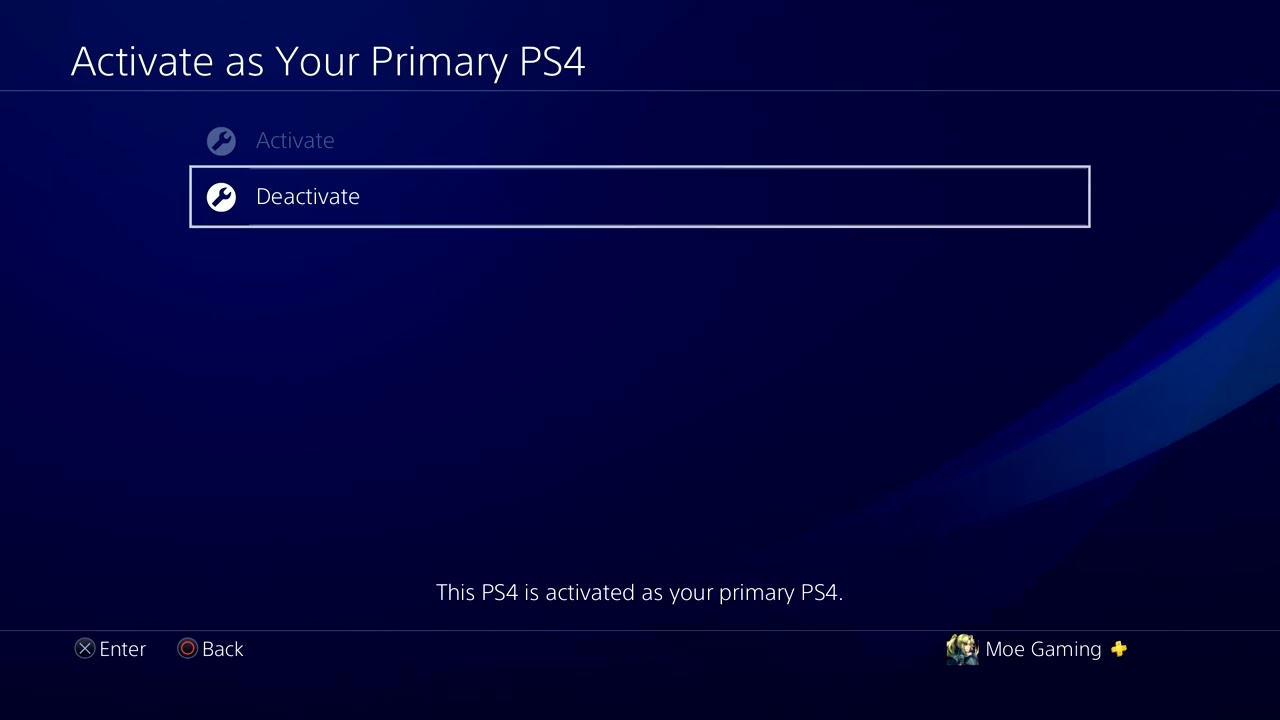
- On the old primary PS4, deactivate it. Go to Settings > Account Management > Activate as Your Primary PS4 > Deactivate > Yes.
- On the intended PS4, activate it. Open the same menu and select Activate.
- If you cannot access the old console, use Account Management. Sign in on the official PlayStation website, choose Device Management > PlayStation Consoles > Deactivate All Devices.
- Return to the PS4 and activate it. Sign in, open the primary-PS4 menu, and select Activate.
- Restore licenses if owned games remain locked. Go to Settings > Account Management > Restore Licenses and retry the game.
Why this works
Primary-console activation controls offline access and content sharing for a PSN account. NP-41772-1 appears when the account cannot make the requested PS4 primary because another console already holds that role. Deactivation releases the role so the intended console can be activated.
Alternatives
- Ask the trusted owner of the old console to deactivate it locally.
- Contact PlayStation Support if the remote six-month limit has already been used or an unknown console is involved.
- Use online access without changing the primary console only if it fits your household’s licensing needs.
Warnings and limitations
Remote Deactivate All Devices affects every console on the account and can be used only once every six months. It does not delete games, but other consoles may lose primary/offline access until activated again. Do not share credentials with anyone offering an activation workaround.
FAQ
Does deactivation delete games or saves?
No. It changes licensing and sharing status; it does not erase installed data.
Can two PS4 consoles be primary for one account?
No. One PS4 can be activated as primary for an account at a time.
How do I undo the change?
Deactivate the current primary PS4 and activate the previous console again, subject to PlayStation’s remote-deactivation limit.
Official references
Source video
As an Amazon Associate I earn from qualifying purchases.