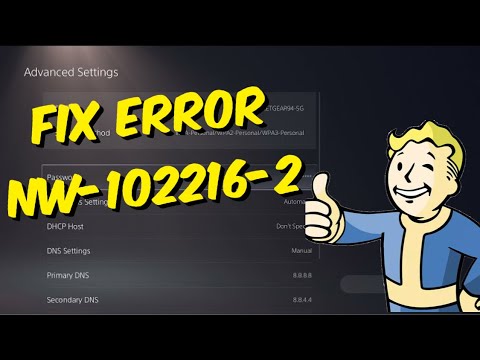
Quick answer: PS5 error NW-102216-2 means an error occurred while connecting to PlayStation. Check PlayStation service status, restart the PS5 and router, use Ethernet if possible, and improve Wi-Fi placement. Update router firmware before considering port changes.
Before you start
- Know your Wi-Fi password.
- Have access to the modem or router.
- Use Ethernet if available.
- Do not reset the PS5 or router to factory settings for this error.
How to fix NW-102216-2
- Check PlayStation service status. If a service is down or under maintenance, wait rather than changing the home network.
- Restart the PS5. Select Power > Restart PS5. Viewer feedback indicates a normal restart resolved some cases, and it is the safest first local step.
- Restart the router. Turn it off, wait at least five minutes as PlayStation recommends, and turn it back on. Wait for all normal status lights.
- Try a wired connection. Connect the PS5 directly to the router with Ethernet. If this works, focus on Wi-Fi signal or interference.
- Improve Wi-Fi. Bring the PS5 closer to the router and remove obstacles. Under Settings > Network > Settings > Set Up Internet Connection, select the network again.
- Update router firmware. Use the router manufacturer’s official app or support instructions. Do not interrupt the update.
- Contact the provider before opening ports. PlayStation lists TCP 80, 443, 3478, 3479 and 3480, plus UDP 3478, 3479 and 49152–65535. Ask the ISP or network administrator for help; do not expose devices through DMZ as a shortcut.
Why this works
The error covers a failed connection between the PS5 and PlayStation services. The sequence distinguishes a service outage from router, Wi-Fi, firmware, or filtering problems. Ethernet removes the wireless layer, making it especially useful for diagnosis.
Optional video-derived DNS test
The source video demonstrates switching DNS from Automatic to Manual and testing a public resolver. This is reversible and may help name-resolution problems, but PlayStation’s current error page prioritizes service status, Ethernet, placement, router restart, firmware, and ports. Record current settings and return DNS to Automatic if it does not help.
Warnings
- Do not place the PS5 in a router DMZ.
- Only change port-forwarding rules with help from the ISP or network administrator.
- A factory reset is unnecessary for normal NW-102216-2 troubleshooting.
- Mobile-hotspot tests can consume data quickly.
Frequently asked questions
Is NW-102216-2 a PS5 hardware failure?
Usually not. It is a PlayStation network connection error. Test service status and another connection before considering repair.
Why does restarting work?
It refreshes the PS5 network session and router address mappings without deleting settings or data.
Should I change DNS first?
No. Use the official service, restart, Ethernet, Wi-Fi, and firmware checks first. DNS is an optional reversible test.