PS5 error NW-102636-8 means the connection to PlayStation timed out. It normally points to a temporary PlayStation service issue, a router problem, weak Wi-Fi, or a connection configuration that needs to be refreshed—not a failed console.
Quick answer: Review the PS5 connection, restart the modem/router for more than five minutes, move closer to Wi-Fi or use wired LAN, then check PlayStation status and retry. Sony recommends waiting if the service is temporarily unavailable.
Before you start
- Save any work and pause active downloads on the PS5 and other devices.
- Keep the Wi-Fi password available if you need to reconnect the console.
- If possible, prepare an Ethernet cable for a direct test; buying new hardware is not required.
- Check whether the problem affects every online game or only one title.
Fix PS5 error NW-102636-8
- Check PlayStation Network first. Open the official service-status page. If account, gaming, or store services show an incident, leave the PS5 settings unchanged and retry after Sony clears it.
- Test the console connection. Go to Settings > Network > Connection Status > Test Internet Connection. A failed IP, internet, or PlayStation sign-in result identifies where the timeout occurs.
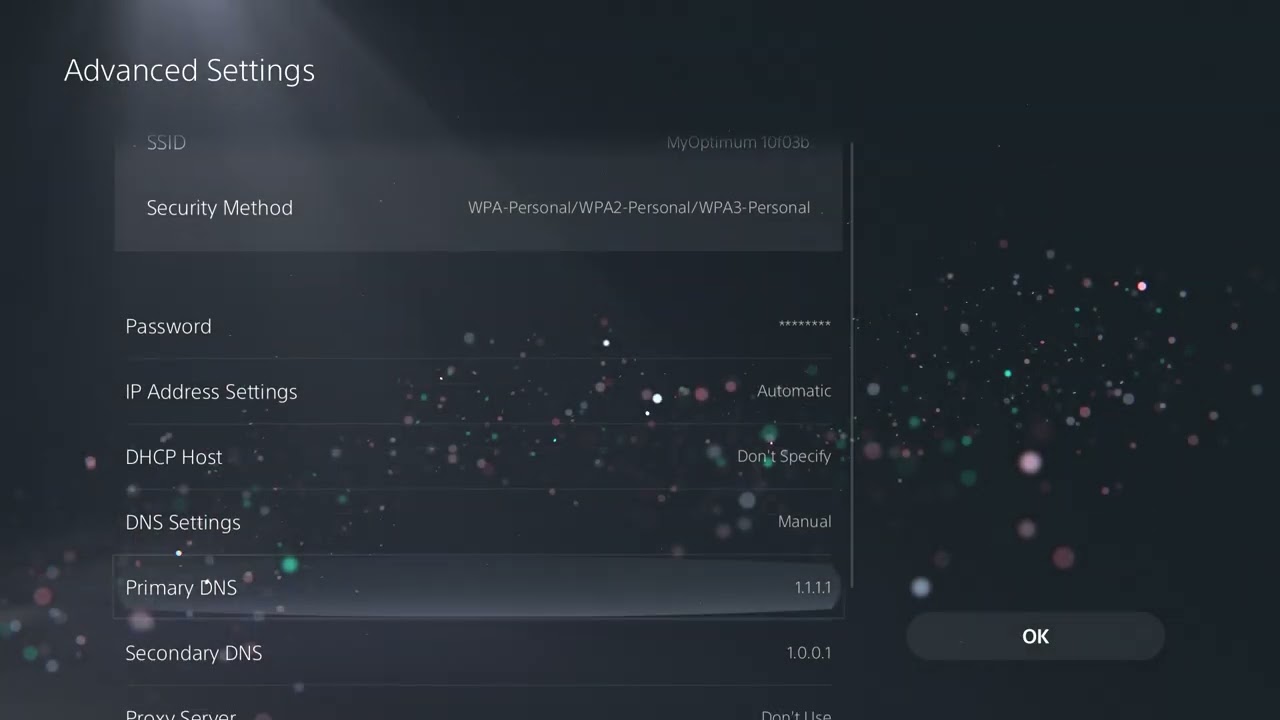
- Review the saved network. Open Settings > Network > Settings > Set Up Internet Connection, select the correct network, and confirm the password and automatic IP/DNS settings.
- Power-cycle the network equipment. Turn the modem and router off, disconnect power for at least five minutes as Sony recommends, reconnect the modem first, wait for it to come online, and then restart the router and PS5.
- Improve the Wi-Fi path. Move the PS5 nearer to the router, remove obvious obstacles, and test again. A 5 GHz connection is usually better at short range, while 2.4 GHz can reach farther through walls.
- Test wired LAN. Connect the PS5 directly to the router and choose Set Up Wired LAN. If LAN works while Wi-Fi fails, focus on signal quality or router placement.
- Check the game’s own service. If PSN works but one game still times out, check that publisher’s official status page before reinstalling anything.
- Wait and retry. Sony lists waiting as part of the official fix because a temporary route or server issue may resolve without local changes.
Why this works
The error appears when the PS5 cannot complete its connection to PlayStation within the allowed time. A proper router restart clears stale sessions, a better Wi-Fi path reduces packet loss, and a wired test separates a wireless problem from a wider service outage.
What viewers reported
Several viewers said the connection resumed after they revisited the internet settings. A few mentioned custom DNS, but Sony’s current error page does not require it. Keep DNS automatic first; if you test another reputable resolver later, return to automatic if it makes no difference.
Alternatives if the timeout returns
- Forget the saved Wi-Fi network, reconnect once, and rerun Test Internet Connection.
- Temporarily pause large downloads and streams elsewhere on the network.
- If every device is offline, contact the internet provider rather than changing PS5 settings.
- For Remote Play-specific symptoms, see our PlayStation Portal connection guide.
Warnings
- Do not factory-reset the PS5 for a simple network timeout.
- Do not disable the router firewall or copy random port-forwarding lists.
- Do not keep changing DNS, MTU, and proxy settings at the same time; test one reversible change at a time.
Frequently asked questions
Is NW-102636-8 a PlayStation ban?
No. Sony describes it as a connection timeout, not an account suspension. A suspended account normally shows a different message and error code.
Will restarting the router erase its settings?
No. Disconnecting power and reconnecting it is different from pressing the router’s factory-reset button. Do not press Reset.
Should I reinstall the game?
Not first. If PSN itself times out, reinstalling a game will not repair the network. Reinstall only when the issue is isolated to one title and its official support recommends it.
Watch the source video
Official references
- PlayStation: PS5 error NW-102636-8
- PlayStation: Set up and troubleshoot internet
- PlayStation Network service status
Affiliate disclosure: As an Amazon Associate I earn from qualifying purchases. No product was added because these fixes do not require new hardware.