Quick answer: PlayStation identifies PS5 error WS-116521-6 as a service-maintenance problem. Check PlayStation Network status first. If services are available, reset the PS5 internet connection, test it again, then power-cycle the router for five minutes. If maintenance is active, wait and retry later.
Before you start
- Do not factory-reset the console for this error.
- Have the Wi-Fi password available before deleting or resetting a saved connection.
- If every device is offline, troubleshoot the modem or internet service first.
Steps to fix WS-116521-6
- Check PlayStation Network status. Open the official status page on a phone or computer. If the affected service is under maintenance, local network changes will not restore it.
- Restart the PS5 and the game. Close the game, turn the console off completely, wait about 30 seconds and start it again.
- Reset the saved connection. Go to Settings > Network > Settings > Set Up Internet Connection. Select the network and configure it again, then run Test Internet Connection.
- Power-cycle the network. Turn off the PS5. Unplug the router and modem for at least five minutes, reconnect the modem first, wait for it to come online, then reconnect the router and PS5.
- Try a wired connection. If Ethernet works while Wi-Fi does not, improve the console’s Wi-Fi placement or check the router’s wireless settings.
- Wait before retrying. After a known outage or maintenance window, account and service availability can take time to normalize.
Why these steps work
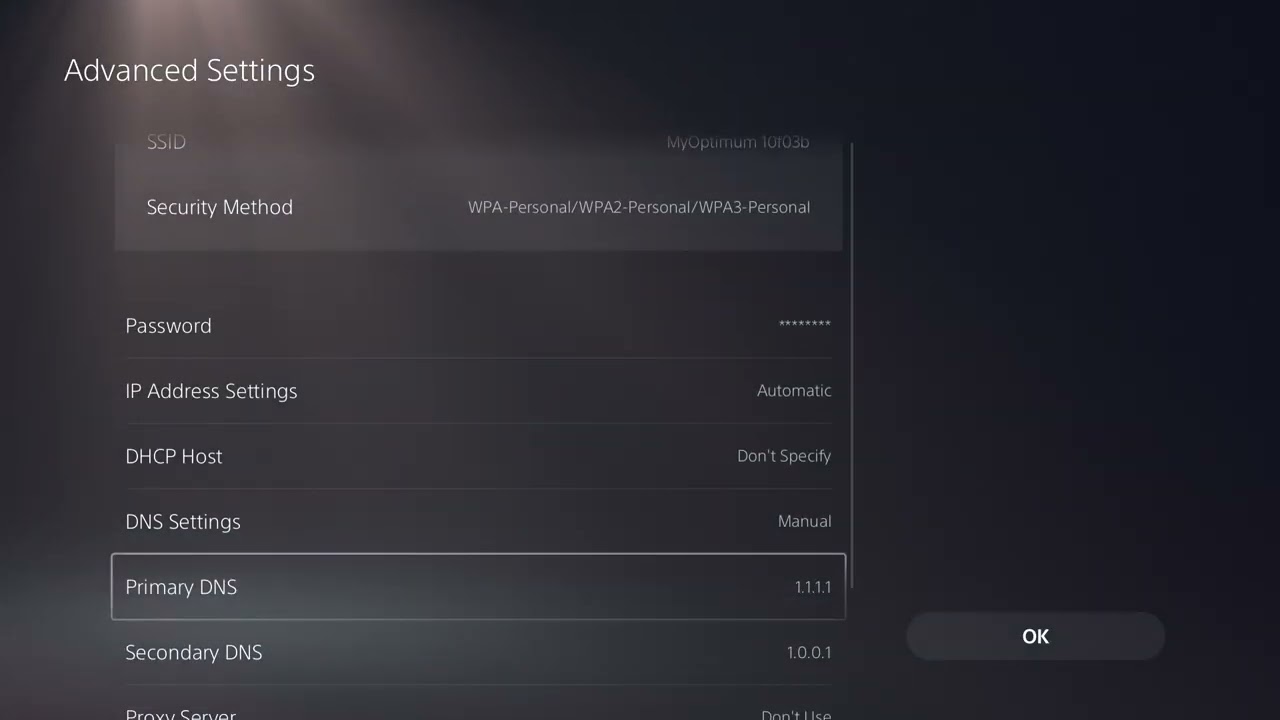
The official PlayStation page ties this code to maintenance and recommends checking service status, resetting the internet settings and restarting the router. The source video also demonstrates choosing a Wi-Fi band and a public DNS resolver. Those are optional diagnostics only after the official checks, because neither can repair a PlayStation-side outage.
Optional Wi-Fi and DNS tests
If the code appears only on Wi-Fi, edit the connection and test 5 GHz when the console is near the router or 2.4 GHz when distance and walls are the problem. You can also temporarily test a reputable public DNS service. Record the original values and return DNS to automatic if there is no improvement.
Warnings and undo steps
Do not open router ports, disable firewall protection or initialize the PS5 for this maintenance code. A DNS change should be reversed by setting DNS back to Automatic. Recreate the original wireless-band setting if forcing one band makes the signal worse.
FAQ
Does WS-116521-6 mean the PS5 is banned?
No. PlayStation’s description identifies a service-maintenance condition, not an account suspension.
Will reinstalling the game help?
Usually not. The error concerns service availability or connectivity, so check status and the network first.
How long should I wait?
Use the official status page rather than guessing. Retry after the listed maintenance or incident is resolved.