Quick answer: PS5 error WV-109145-0 means the console could not connect to the internet. Check PlayStation Network status, restart the PS5, prefer Ethernet if available, and power-cycle the modem/router for five minutes. Then reset the PS5 network settings and test the connection.
Before you start
- Check whether phones or computers can use the same internet connection.
- Keep the Wi-Fi password nearby.
- Write down any custom IP or DNS settings before changing them.
Steps to fix WV-109145-0
- Check PSN status. If PlayStation services are down, wait instead of changing the console.
- Restart the console. Turn the PS5 off completely, wait 30 seconds and start it again.
- Use Ethernet if possible. A wired test separates Wi-Fi interference from a broader connection failure.
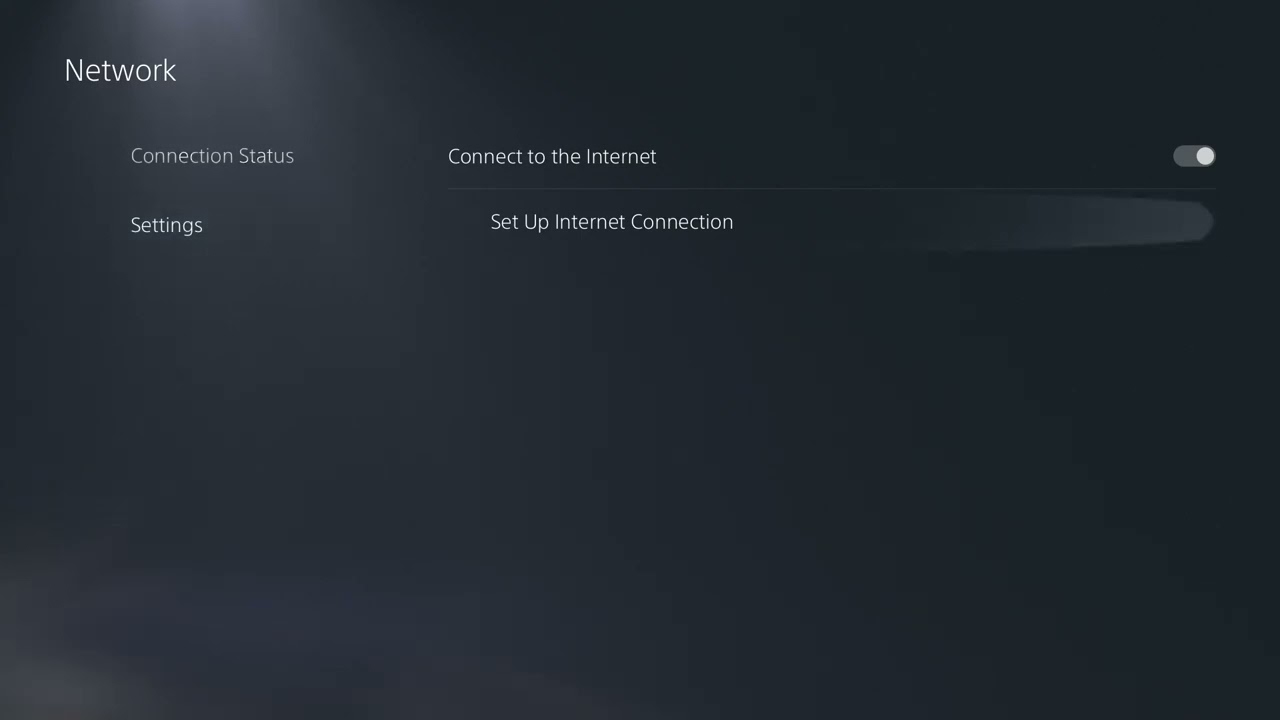
- Recreate the connection. Open Settings > Network > Settings > Set Up Internet Connection, select the network, re-enter its details and run Test Internet Connection.
- Power-cycle the modem and router. Turn off the PS5, unplug network equipment for five minutes, reconnect the modem, then the router, and wait for internet access before restarting the PS5.
- Improve Wi-Fi conditions. Move the PS5 closer to the router, remove obstacles, or test 5 GHz at short range and 2.4 GHz at longer range.
- Update the router. Check the manufacturer’s instructions for firmware updates. Avoid resetting the router unless you know how to restore the ISP settings.
- Test DNS or a static IP only if needed. A public DNS resolver may help a name-resolution failure. A static IP should be outside the router’s automatic-address pool. Revert both changes if they do not help.
Why these steps work
The official PlayStation guidance covers service status, wired connections, wireless placement, router restarts, firmware, ports, static IP and public DNS. The source video demonstrates wireless-band and DNS changes. Working from the simplest checks first prevents unnecessary router changes.
Ports listed by PlayStation
If a network administrator has intentionally restricted outbound traffic, PlayStation lists TCP ports 80, 443, 3478, 3479 and 3480, plus UDP ports 3478, 3479 and 49152–65535. Most home routers do not require manual port forwarding. Do not place the PS5 in a DMZ as a first fix.
Warnings and undo steps
Do not disable router security. Return IP and DNS settings to automatic if testing custom values does not help. If you changed a forced Wi-Fi band, return it to automatic when the signal becomes less stable.
FAQ
Is WV-109145-0 a hardware failure?
Not by itself. It identifies a failed internet connection. Test another network before assuming the console needs repair.
Should I factory-reset the PS5?
No. PlayStation does not list initialization as a normal fix for this network code.
Why does Ethernet work when Wi-Fi fails?
That points to wireless signal, congestion, band selection or router settings rather than PSN account data.