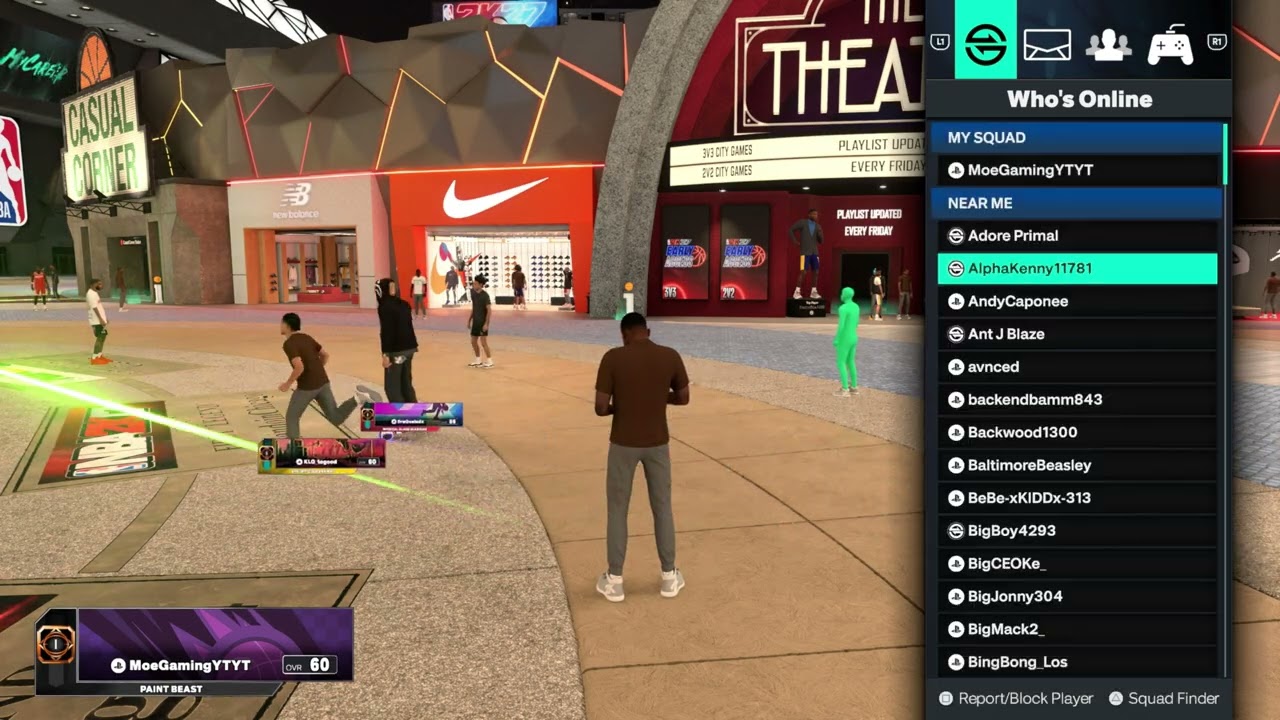
Quick answer: Open the NBA 2K27 Social menu, select the player, choose Report, select the affected area—such as username, MyPLAYER image, text, or voice—and choose the accurate reason. Submit one truthful report and preserve clips or screenshots if serious misconduct occurred. A report requests review; it does not guarantee an immediate ban.
This guide combines the exact actions demonstrated in Moe Gaming’s source video with current first-party support information. Menu names can move after updates, so use the current on-screen label when it differs slightly.
Before you start
- Record the player’s exact 2K name and platform when possible.
- Preserve a short clip or screenshot without reposting harmful material publicly.
- Use the category that best describes what actually happened.
Submit an in-game report
- Open Social from the relevant online mode.
- Locate the player in Nearby, Recent Players, the game session, or search results.
- Open the player card and choose Report; on PlayStation the prompt may use Square.
- Select the affected content or behavior category.
- Choose the most accurate reason and submit.
The source walkthrough shows options for username, MyPLAYER image, text, and voice, with reasons that can include cheating, boosting, harassment, and illegal or offensive content. Menus may vary by mode.
Choose the correct reason
- Use cheating only for suspected prohibited gameplay manipulation—not simply a strong opponent.
- Use boosting for coordinated manipulation of progression or results when that is what occurred.
- Use harassment or offensive-content categories for abusive communications or imagery.
- Use the console’s own report and block tools too when the conduct occurred through PlayStation or Xbox services.
Accurate reports give reviewers a clearer signal and reduce noise caused by retaliatory or vague submissions.
Preserve evidence and contact support when necessary
- Save a short gameplay clip or screenshot with the player name and timestamp.
- Do not edit the clip in a way that removes context.
- For serious threats, illegal content, or repeated abuse, open a 2K Support request and include the requested evidence.
- Block or mute the player and leave the session if you feel unsafe.
2K’s support process may request additional information. Platform safety teams may also need a separate report for platform messages or profiles.
What happens after reporting
- The report is sent for review under the game and platform rules.
- Moderation may consider account history and evidence not visible to the reporter.
- For privacy and security reasons, you may not receive details about another account’s outcome.
- Do not repeatedly report the same incident unless support asks for more evidence.
No guide can guarantee a ban. The correct outcome depends on investigation and the applicable rules.
Why these steps work
The in-game report attaches the complaint to a specific player and category, while screenshots or clips help explain context when support requests it. Blocking and muting reduce immediate exposure without waiting for the review.
Warnings and common mistakes
- Never file a false report because you lost a game or dislike another player.
- Do not publish personal information, threats, or illegal content while asking others to report it.
- If there is an immediate real-world safety threat, contact the appropriate local authority rather than relying only on game moderation.
Watch the original Moe Gaming walkthrough
Frequently asked questions
Will reporting someone automatically ban them?
No. A report requests review. The moderator determines whether a rule violation occurred and what action is appropriate.
Can I report voice chat?
The in-game report menu can include a voice category. Also use mute/block controls and preserve any evidence the platform allows.
Should I report the same player on PlayStation or Xbox too?
Yes when the misconduct also violates platform rules or occurred through platform messages or profiles. Use the platform’s official reporting flow.