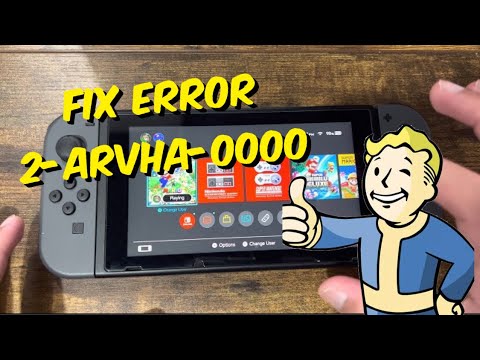
Quick answer: Nintendo says YouTube error 2-ARVHA-0000 usually requires correcting the Switch date and time. Open System Settings > System > Date and Time and enable Synchronize Clock via Internet. Confirm the time zone, then reopen YouTube.
Before you start
- Connect the console to the internet.
- Save and close any running game.
- If you changed the clock for a game, note the old setting before correcting it.
How to fix error 2-ARVHA-0000
- From the HOME Menu, open System Settings.
- Scroll down and select System.
- Select Date and Time.
- Turn on Synchronize Clock via Internet. The console may require the parental-control PIN.
- Confirm that Time Zone matches your current location.
- Press HOME, highlight YouTube, press X, and choose Close.
- Restart the Switch from Power Options, then launch YouTube again.
Why this works
YouTube uses time-sensitive secure connections and account tokens. If the console clock is far from the real time, those checks can fail even when Wi-Fi is working. Internet synchronization restores a trusted clock automatically.
If the error continues
- Run System Settings > Internet > Test Connection.
- Check System Settings > System > System Update.
- Delete and redownload only the YouTube app. Highlight YouTube, press +, choose Manage Software > Delete Software, then reinstall from Nintendo eShop. This does not delete game save data.
- If the clock immediately becomes wrong again, check the time zone and any parental-control restrictions.
Limitations and undo steps
- Games that use the local clock may react to a corrected date. Review that game’s rules before changing it.
- Do not factory-reset the console for this error.
- To return to manual time, switch Synchronize Clock via Internet off and set the date and time manually. YouTube may fail again if the clock is inaccurate.
Frequently asked questions
Does this affect save files?
Changing the system clock does not directly delete saves, but some games may apply cooldowns or event changes after a large time jump.
Is this a YouTube account ban?
No. Nintendo’s support article points to the console date and time, not an account suspension.
Does the fix apply to Switch 2?
Nintendo includes the same error article in its Switch 2 error-code topics. Menu wording may differ slightly by system version.
Official references
Source video
As an Amazon Associate I earn from qualifying purchases.