Quick answer: To fix Black Ops 7 DirectX error 0x887A0005, install a supported GPU driver and current Windows updates, verify the game files, allow shader preloading to finish, and remove GPU or CPU overclocks. Disable third-party overlays and monitoring tools for one test. Do not force DirectX 11: the current PC requirements call for DirectX 12.
Microsoft maps 0x887A0005 to DXGI_ERROR_DEVICE_REMOVED. In plain language, the game lost access to the graphics device because the driver reset, the device stopped responding, or the graphics environment changed. The error does not automatically mean the GPU is physically broken.
Before you start
- Restart the PC once and close unnecessary applications.
- Confirm the PC meets Activision’s current Black Ops 7 requirements, including a compatible DirectX 12 GPU and supported Windows version.
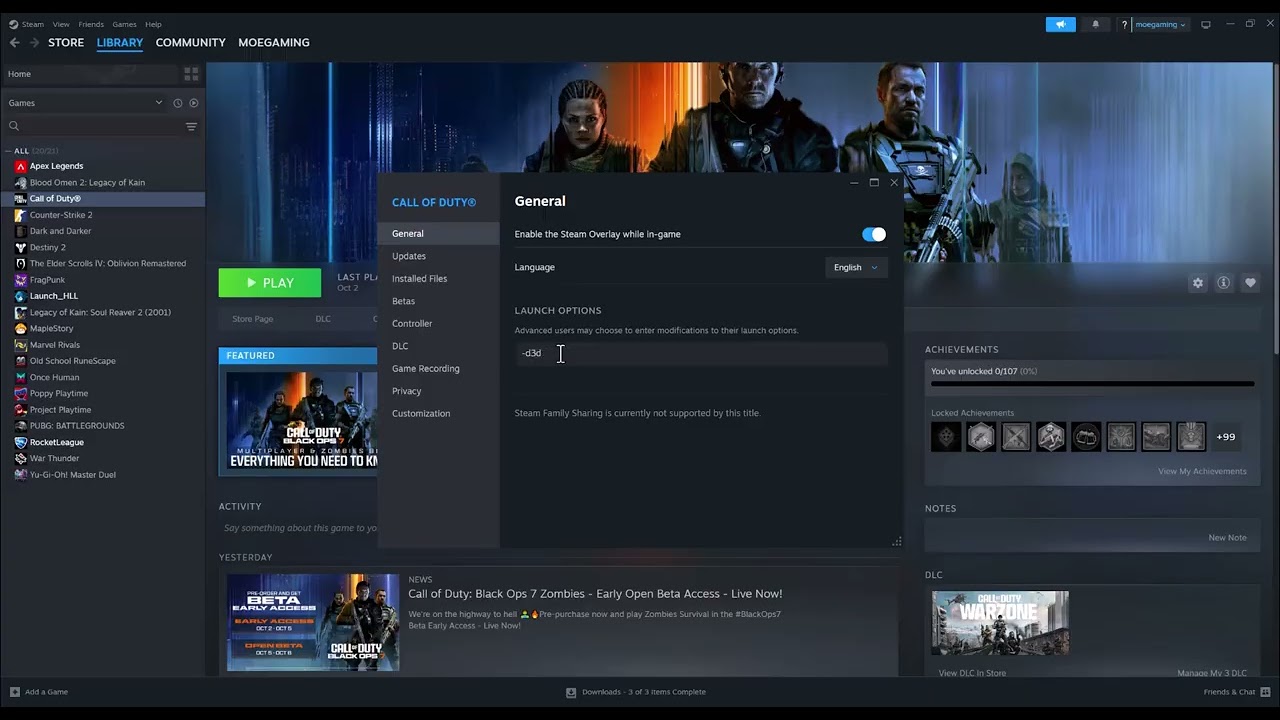
- Remove any unsupported launch argument added during earlier troubleshooting.
- Write down when the crash occurs: at launch, during shader compilation, in a menu, or during a particular match.
How to fix Black Ops 7 DirectX error 0x887A0005
1. Install the recommended graphics driver
- Identify the installed NVIDIA, AMD, or Intel graphics model in Windows Device Manager or the manufacturer’s control panel.
- Use the GPU manufacturer’s official driver page or Activision’s linked recommended-driver guidance.
- Install the supported driver and restart Windows.
- If the error began immediately after a driver update, use the manufacturer’s supported clean-install or rollback process rather than installing files from a third-party driver site.
A graphics driver reset is one of the common ways Windows produces DXGI_ERROR_DEVICE_REMOVED. A restart after installation is important because it reloads the driver stack.
2. Update Windows
- Open Settings > Windows Update.
- Select Check for updates.
- Install available cumulative and platform updates.
- Restart even if Windows does not explicitly prompt you.
Modern DirectX components are serviced through Windows. Downloading an unofficial “DirectX repair” package is unnecessary and risky.
3. Verify the Black Ops 7 files
Steam: Open Library, right-click Black Ops 7, choose Properties > Installed Files > Verify integrity of game files.
Battle.net: Open the game page, open the options menu beside Play, and use Scan and Repair when available.
Let the launcher finish and reacquire any missing files before starting the game. A damaged shader, executable, or graphics asset can produce a repeatable GPU-device error.
4. Let shader preloading complete
Start the game and remain at the main menu until shader preloading reports completion. Avoid entering a match while compilation is still running. After a driver update, the game may need to rebuild its shader cache.
5. Return the CPU, GPU, and memory to stock settings
- Disable GPU overclocking and undervolting profiles.
- Return CPU tuning to the manufacturer’s defaults for the test.
- If memory is using an aggressive XMP/EXPO profile and other applications also crash, test the platform defaults.
- Close tuning utilities after applying stock settings.
A profile can pass a short benchmark but fail under a different game workload. Testing stock settings determines whether instability is involved without assuming that the hardware is defective.
6. Disable overlays and monitoring hooks
Temporarily close third-party frame-rate overlays, recording hooks, RGB suites, GPU monitoring, and performance injectors. Also test with the launcher overlay disabled. Re-enable one item at a time after the game is stable so you can identify a conflict.
7. Lower GPU load for a controlled test
- Reset graphics settings to a recommended preset.
- Disable on-demand texture streaming temporarily.
- Set a sensible frame-rate cap rather than running an uncapped menu.
- Reduce VRAM-heavy texture settings if the usage meter is over the GPU’s budget.
- Check temperatures and make sure fans and vents are not obstructed.
If lower settings stop the crash, raise options gradually. That result points to workload, thermal, driver, or stability pressure; it does not prove that a single graphics option was corrupt.
Why this guide does not recommend forcing DirectX 11
The source video mentions launch options such as -dx11, -dx12, and -d3d11. Current Activision requirements specify DirectX 12 for Black Ops 7, so forcing an undocumented DirectX 11 path is not a reliable primary fix. Unsupported arguments can be ignored, create a different launch problem, or complicate support. Remove them and troubleshoot the supported configuration first.
If 0x887A0005 still appears
- Check Windows Reliability Monitor for a display-driver reset at the crash time.
- Test another demanding DirectX 12 game. Multiple applications failing suggests a system-level driver, temperature, power, or stability issue.
- Reinstall Black Ops 7 only after file verification and driver troubleshooting.
- Submit the crash report and diagnostic details to Activision Support.
- If the entire PC loses display output or restarts, investigate hardware stability with the PC or component manufacturer.
Optional PC gaming accessories
As an Amazon Associate I earn from qualifying purchases.
- PC/console-compatible gaming headset — an optional audio upgrade, not a DirectX repair.
- Xbox wireless controller — optional for controller play on a compatible PC; it will not resolve GPU-driver errors.
- HDMI 2.1 cable — relevant only when replacing a damaged display cable or using a compatible high-refresh display; it does not fix DXGI driver resets.
Watch the original walkthrough
Frequently asked questions
What does 0x887A0005 mean?
Microsoft defines it as DXGI_ERROR_DEVICE_REMOVED: the graphics device became unavailable to the application, often because the driver reset or the device stopped responding.
Should I reinstall DirectX?
Not from a third-party download. Windows services current DirectX components. Update Windows, the supported GPU driver, and the game files instead.
Can an overclock cause this error?
Yes. A marginal GPU, CPU, or memory profile can cause a driver reset under a particular workload. Test manufacturer-default settings before replacing hardware.