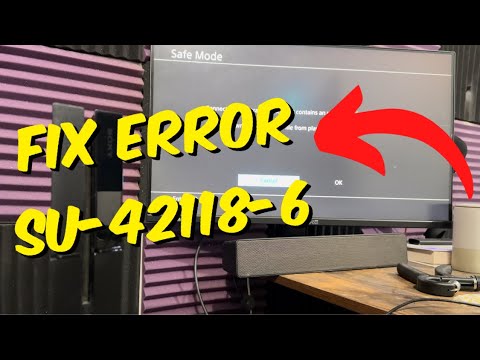
PS4 error SU-42118-6 appears when the console cannot complete a system software update. Begin with PlayStation’s non-destructive reset sequence, delete the failed update notification, and try the update again before moving to Safe Mode or USB.
Quick answer
Turn off and unplug the PS4, restart the router after at least five minutes, reconnect the console, delete the failed system-software download from Notifications, and run Settings > System Software Update again. If that fails, use PlayStation’s official Safe Mode or USB update file.
Before you start
- Use a stable internet connection and keep the PS4 connected to power throughout the update.
- If using USB, prepare a FAT32 or exFAT drive and download the update only from playstation.com.
- Back up important saves before advanced Safe Mode work. Do not choose Reinstall System Software unless you accept that it deletes all console data.
How to fix PS4 error SU-42118-6
- Power down completely. Turn off the PS4, wait until its lights stop flashing, and unplug the power cable.
- Restart the network equipment. Turn off the router or modem and wait at least five minutes, as PlayStation instructs. Restart it and wait for internet service to return.
- Reconnect and restart the PS4. Plug the console back in and start it normally.
- Delete the failed update notification. Open Notifications, highlight the failed system software update, press OPTIONS, and choose Delete.
- Download the update again. Go to Settings > System Software Update and follow the prompts without launching other applications.
- Use Safe Mode if the normal update fails. Turn off the console, hold the power button until the second beep, connect the controller by USB, and select Update System Software.
- Use the official USB update path if necessary. On a FAT32/exFAT drive, create PS4/UPDATE, save the official update as PS4UPDATE.PUP, then choose Update from USB Storage Device in Safe Mode. Folder and file names must be uppercase.
Why this fix works
The sequence clears a failed download record and establishes a fresh update session. Safe Mode reduces background activity, while the official USB method supplies the update locally when the network path is unreliable. Viewer comments report mixed outcomes, which is expected: this process addresses software delivery and installation, but it cannot prove or repair a hardware fault.
If the error is still happening
- Try a wired Ethernet connection if Wi-Fi repeatedly interrupts the update.
- Re-download the PUP file from PlayStation if the PS4 says it cannot recognize the USB file; confirm the drive format, uppercase folders, filename, and correct update file.
- If the console cannot complete an official update by normal, Safe Mode, or USB methods, stop repeating destructive options and use PlayStation Support or Repairs. Our SU-30746-0 guide covers a different PS4 update code.
Important warnings
- Do not download PS4 firmware from unofficial mirrors.
- Update System Software and Reinstall System Software are not the same. Reinstalling system software erases all data on the console.
- Do not open the console or assume the disc drive is defective based only on SU-42118-6. Seek an official hardware diagnosis if software methods fail.
Frequently asked questions
Does SU-42118-6 mean the PS4 disc drive is broken?
Not conclusively. Online reports mention hardware in some cases, but the error alone does not diagnose a drive. Complete PlayStation’s official update steps before arranging repair.
Can I update by USB without deleting everything?
Yes. Safe Mode’s Update System Software option is separate from Reinstall System Software. Choose the update option and use the standard update file.
Why does the PS4 not see PS4UPDATE.PUP?
Check that the drive is FAT32/exFAT, the folders are PS4/UPDATE in uppercase, and the file is named PS4UPDATE.PUP and came from PlayStation.
Should I initialize the PS4?
Not as an early step. Initialization or system-software reinstallation can erase data and should be reserved for an official recovery path after backups and careful review.
Watch the source video
The public YouTube transcript was unavailable after the complete retry sequence. The steps above were independently checked against current PlayStation documentation and the visible source-page context; no unverified workaround was added.
Official references
As an Amazon Associate I earn from qualifying purchases.