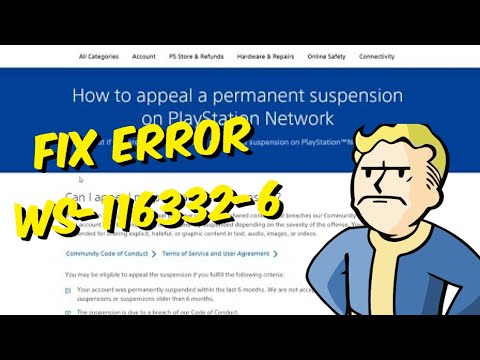
Quick answer: PS5 error WS-116332-6 means access from the console may be prohibited or PlayStation services may be temporarily unavailable. Check the game server and PSN status first. If services are healthy, check the account email, spam folder and PlayStation My Support for a suspension notice. A temporary suspension must normally expire; eligible permanent account suspensions and account-debt cases have official appeal or repayment paths.
Before you start
- Do not pay anyone who claims they can “unban” a PlayStation account or console.
- Use only PlayStation’s official support and My Support pages.
- Check the email address used as the account’s sign-in ID, including junk and spam folders.
- If the PS5 was purchased used, keep the seller receipt and marketplace correspondence.
Resolve WS-116332-6
- Check service status. Look at the game publisher’s server page and PlayStation Network status. If either reports maintenance or congestion, wait and retry later; the code does not prove a suspension by itself.
- Restart once. Close the affected game, restart the PS5 and test sign-in again. Do not repeat this endlessly if every account is blocked and PSN is online.
- Check the PlayStation Safety email. PlayStation normally emails the account’s sign-in address with the suspension type and length. Search the inbox and spam folder for recent PlayStation messages.
- Check My Support. Sign in to PlayStation My Support from another device to review the account status and any available action.
- Identify account versus console restriction. If only one account cannot sign in, the restriction may be account-based. If no account can use online PlayStation services on that PS5, it may be a console suspension or another console-specific access issue.
- Use an appeal only when eligible. PlayStation states that appeals may be available for permanent account suspensions. Follow the link shown in the official suspension page or My Support; do not submit repeated unrelated tickets.
- Handle account debt through the official form. If the notice says a chargeback created an account debt, follow PlayStation’s balance-payment process. Do not send card details in chat or email.
- Contact PlayStation Support if there is no notice. Provide the code, console serial number, purchase status and the affected account. A viewer with a replacement console reported that support removed an incorrect restriction, but only PlayStation can confirm whether that applies to your device.
Why these steps work
WS-116332-6 covers more than one access state. Service checks eliminate a temporary outage. The notification and My Support pages show whether PlayStation applied an account, communication or console suspension. That distinction determines whether waiting, appealing, resolving account debt or contacting support is appropriate.
What will not fix a suspension
- Changing DNS, Wi-Fi bands or router ports cannot remove an account or console restriction.
- Creating a new account does not bypass a console suspension and may violate the service rules.
- Factory-resetting the PS5 does not change PlayStation’s server-side suspension record.
- Third-party “unlock” tools are unsafe and cannot legitimately alter PlayStation’s account systems.
Warnings
Do not evade a suspension or misrepresent account ownership. A second-hand console suspension cannot be lifted according to PlayStation; contact the seller. Never share passwords, recovery codes, card details or console serial numbers publicly.
FAQ
Does WS-116332-6 always mean the PS5 is banned?
No. PlayStation says access may be prohibited or temporarily unavailable. Check status and official account notifications before concluding it is a ban.
Can I appeal a temporary suspension?
PlayStation’s public guidance offers appeals only in certain cases, including some permanent suspensions. A temporary suspension normally ends at the time shown in the notice.
What if the console was refurbished?
Contact the retailer and PlayStation with proof of purchase. Do not assume the previous owner’s restriction can be removed; PlayStation says a second-hand suspended console is a seller issue.
Official references
WS-116367-4 is another suspension/access code
PlayStation’s code page for WS-116367-4 says to test sign-in from another device; if that also fails, access may be suspended for a Terms of Service violation. The additional video recommends contacting support but overpromises an automatic reversal. Support can explain available options, but not every suspension is appealable or reversible.
Original source video
As an Amazon Associate I earn from qualifying purchases.