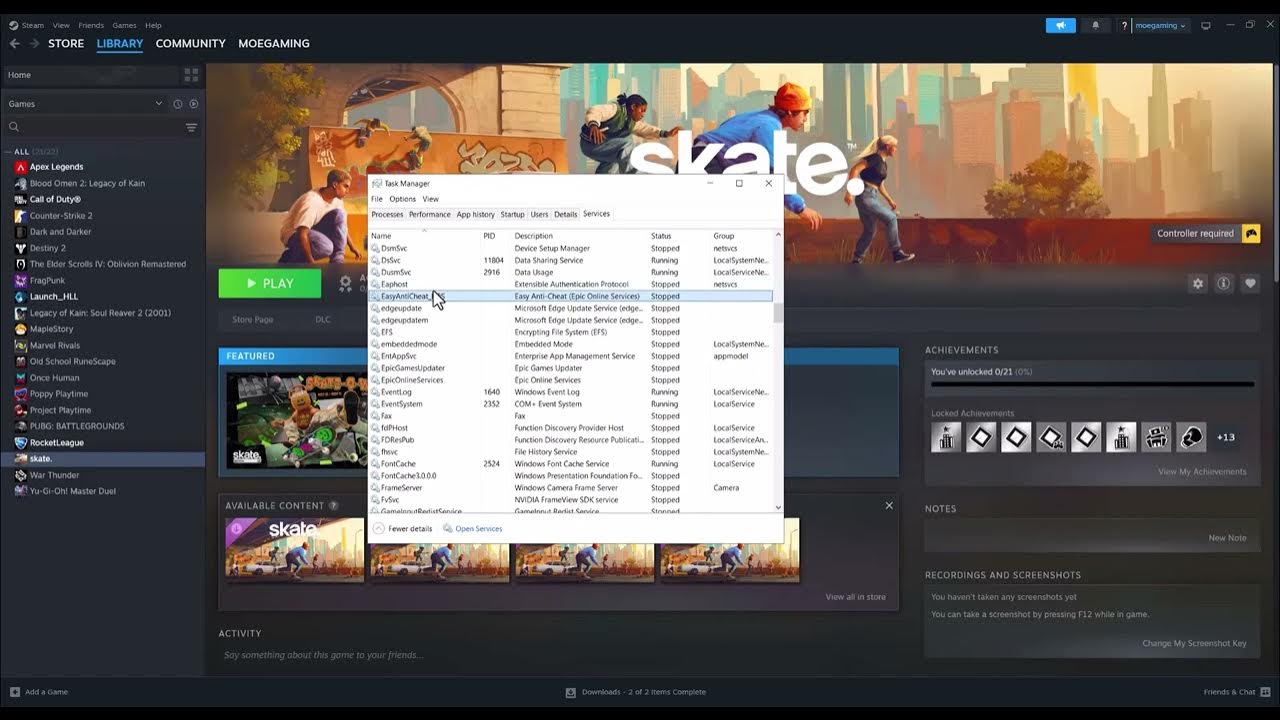
Quick answer: Check EA’s live server status first. If EA and Skate are available, restart the EA app and the game. On Windows, Moe Gaming demonstrates a further unofficial, temporary workaround: start or restart an EA-related background service in Task Manager’s Services tab, then relaunch Skate. It may help only when the local service has stalled; it cannot repair an EA outage or wrong account link.
Before you change anything
These steps are for Skate on a Windows PC. Close Skate and save any open work. Confirm your internet connection works, you are signed into the correct EA Account, and the Steam/Epic account is linked if you launch through one of those stores. EA says unlinking an account can risk purchases and progress; do not unlink it as a quick fix.
Steps in order
- Visit the EA status page and check Skate plus the EA app. If a service is down, wait and retry; a local service restart will not bring the servers back.
- Exit Skate and the EA app completely, restart the PC, open the EA app, and sign in with the intended account. EA’s connection guide also recommends checking local connectivity.
- Optional video-derived workaround: Open Windows Task Manager (right-click the taskbar and select Task Manager, or press Ctrl+Shift+Esc). Select the Services tab or section, depending on your Windows version.
- Find a service whose displayed name clearly belongs to the EA app (for example, EA Background Service). Right-click that EA service and select Start if stopped or Restart if available and running. Do not indiscriminately restart unrelated Windows services and do not change any startup type.
- Reopen the EA app, then launch Skate and test the connection. If Restart is unavailable or an access-denied message appears, skip the workaround instead of weakening permissions.
Why this may help—and what it cannot do
The video suggests the EA background process may be stopped or stalled; starting it again can restore the local app-to-service path in some cases. EA does not identify this as a guaranteed Skate-specific fix. One viewer reported having to repeat the step every time, so a recurring failure warrants checking EA app updates, connection quality and EA Help rather than treating the workaround as permanent.
Alternatives and warnings
If Skate still cannot connect, check the linked account, relaunch after an EA app update, try a wired connection if possible, and review EA’s current Skate error guide. There is no need to disable a firewall or security product. Undo: no persistent settings were changed; if the restart disrupts another EA game, close it and restart Windows to return services to their normal startup behavior.
FAQ
Will restarting the EA service fix a server outage?
No. Wait for EA to restore service.
Does this apply on PlayStation or Xbox?
No. Task Manager exists on Windows only; console users should use EA’s status, connectivity and account-link guidance.
Official references
EA server status · EA connection troubleshooting · Skate account linking and risks.
Source video
Watch the original Moe Gaming demonstration below. The video is source material, while official references above govern current supported steps.
As an Amazon Associate I earn from qualifying purchases. This guide includes no product recommendations or affiliate purchase links.