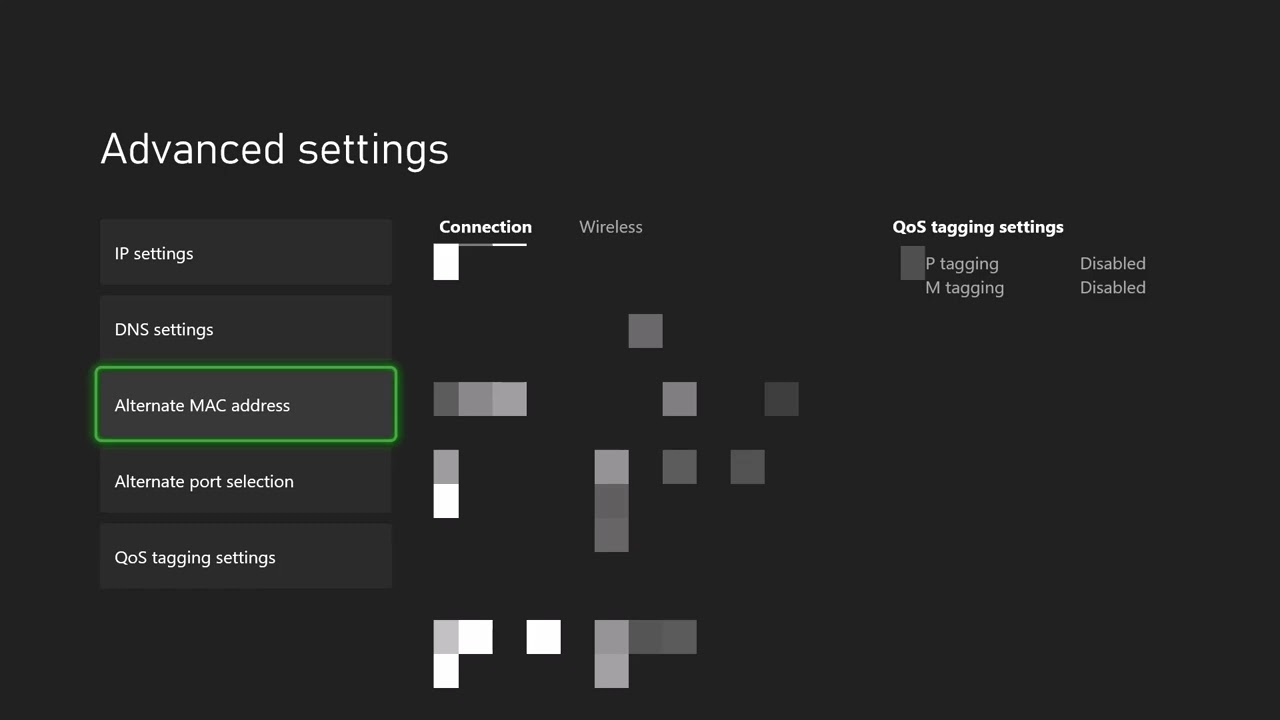
Quick answer: Restart the Xbox and router, then clear the console’s Alternate MAC address at Settings > General > Network settings > Advanced settings > Alternate MAC address > Clear. The console will restart. This is a safe, reversible way to remove a stale manual MAC override; it is not a guaranteed fix for every DHCP failure.
What a DHCP error means
DHCP is the router service that gives the Xbox a local IP address, gateway, and DNS settings. The error usually means that exchange did not complete. The problem can be a stuck console network state, a manually entered MAC address, weak Wi-Fi, a router lease problem, or an outage at the router or internet provider.
Before you start
- Save any open game and stop active downloads.
- Keep the Wi-Fi password handy.
- If someone intentionally configured an Alternate MAC address for a managed network, record it before clearing it and check with the network administrator.
Fix “Can’t connect to your DHCP server” on Xbox
- Check Xbox status and test again. Open Settings > General > Network settings and select Test network connection. A local DHCP error can occur even when Xbox services are healthy, but checking status prevents wasted changes during an outage.
- Restart the console. Hold the Xbox button, choose Restart console, and run the network test again.
- Power-cycle the router. Unplug the router or gateway for about 60 seconds, reconnect it, and wait until its service lights stabilize. Do not reset it to factory defaults.
- Clear the Alternate MAC address. On Xbox Series X|S or Xbox One, go to Settings > General > Network settings > Advanced settings > Alternate MAC address. Select Clear, then Restart.
- Retest on automatic settings. Return to Advanced settings and confirm IP settings and DNS settings are Automatic unless your network administrator supplied specific values.
- Try Ethernet. Connect the Xbox directly to the router. If Ethernet works but Wi-Fi does not, focus on wireless signal, password, router band, or interference rather than the Xbox account.
Why clearing Alternate MAC may work
Most home networks expect the Xbox to use its built-in hardware MAC address. A manual override can become stale or conflict with router access rules. Clearing the override tells the console to use its normal address again and forces a restart, which triggers a fresh DHCP request. If no alternate value was set, the restart may still refresh the network state, but the underlying cause could remain elsewhere.
Alternatives if the error continues
- Forget the wireless network and reconnect with the correct password.
- Try another router Ethernet port and another known-good cable.
- Temporarily test a phone hotspot. If the Xbox connects there, investigate the home router.
- Open the router administration page and confirm its DHCP server is enabled and the address pool is not exhausted.
- Install current router firmware from the router manufacturer.
- Contact the internet provider if all home devices are losing addresses, or Xbox Support if only the console fails on multiple networks.
How to undo the change
Most people should leave Alternate MAC blank. If a school, hotel, or managed network provided a required address, return to Alternate MAC address, enter the recorded value, and restart. Never copy another device’s MAC address without authorization.
Warnings
Do not factory-reset the router, assign a random static IP, disable wireless security, or clone another household device as a first step. Those changes can disrupt every device on the network or create an address conflict.
Frequently asked questions
Does clearing Alternate MAC delete games?
No. It resets only that network override and restarts the console.
Will this change my public IP address?
Usually not. Your public address is assigned by the internet provider to the router. This step changes how the Xbox identifies itself only on the local network.
Why does Ethernet work when Wi-Fi fails?
That points toward a wireless issue such as poor signal, interference, the wrong password, band compatibility, or router access controls—not a general Xbox service failure.
Official references
Source video
As an Amazon Associate I earn from qualifying purchases.