Quick answer: Load MyCAREER, enter the City, open the map, highlight the labeled venue you want, and set a waypoint. The central Park is the easiest reference point: Crew HQ and the Theater are just above it; The REC and Starting Five are below it; Proving Grounds is lower-left; Ante-Up is lower-right; and Street Kings, the training gyms, Triple Threat Park, and the Track are in the upper part of the map. Follow the waypoint rather than relying only on the neighborhood description because City layouts and seasonal presentation can change.
This guide combines the visible map routes and entrances demonstrated in Moe Gaming’s videos with 2K’s current City and game-mode documentation. It covers the Park, Casual Corner, Gatorade Training Facility, Street Kings, Art of Shooting Gym, Ante-Up, Triple Threat Park, the Track, the Theater, Starting Five, The REC, Proving Grounds, Open Court Athletics, Crew HQ, and travel equipment.
Before you start
- Enter MyCAREER and load into the City. If you have not made a build yet, use the NBA 2K27 MyCAREER and custom-build guide.
- Finish any introductory objective that prevents free movement.
- Open the map and set a waypoint on the venue label before traveling.
- For online venues, make sure you have an internet connection, an NBA 2K Account, and any platform subscription required for console multiplayer.
- If the City will not connect at all, work through the NBA 2K27 server and MyCAREER online-error guide before troubleshooting a venue.
- For travel equipment, unlock or own the item first; unavailable gear will not appear in the wheel.
Find and enter the Park
- Open the City map and look near the central area for the large basketball-globe landmark.
- Place a waypoint and follow the navigation marker to the entrance.
- Enter the Park and walk to an available Got Next spot to queue for a court.
The Park is an online social basketball area. Match availability and queue rules can vary, so an empty spot is not guaranteed.
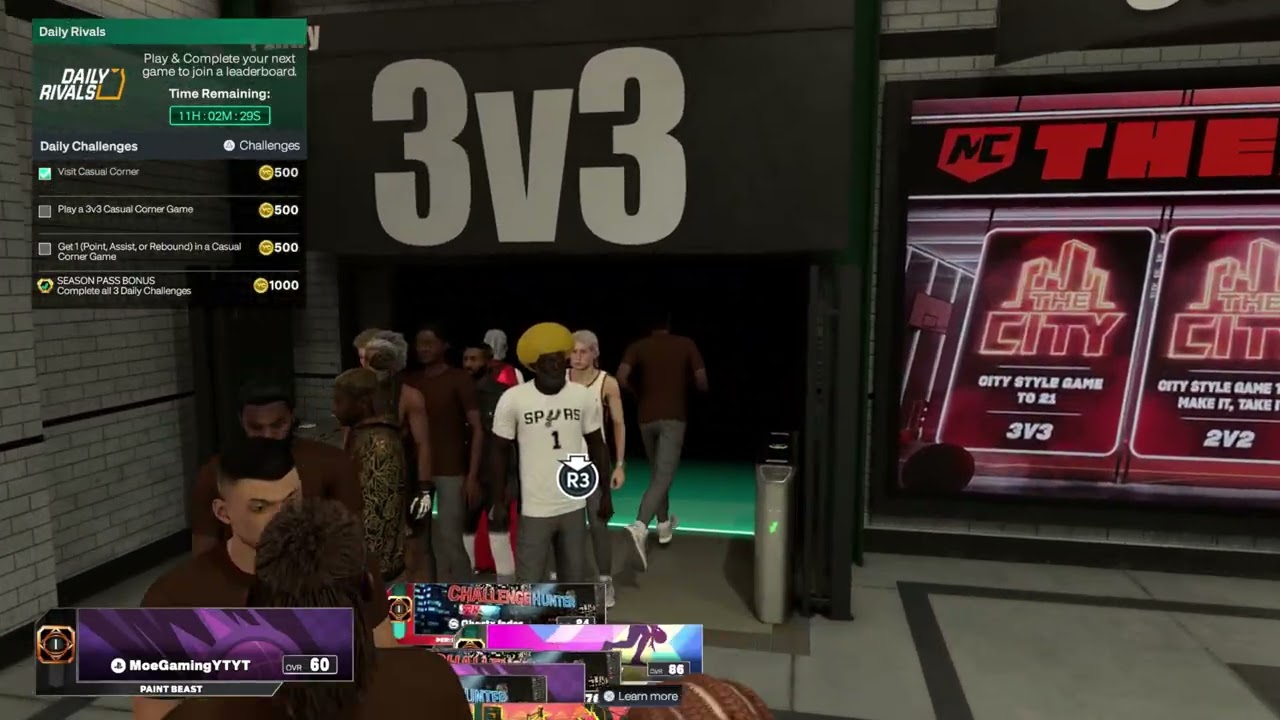
Find Casual Corner
- Open the map and move toward the upper-left portion shown by the source walkthrough.
- Look for the subway-station-style entrance and enter it.
- Choose an available activity such as 3v3, 5v5, or Learn 2K when presented.
- Wait for the required players rather than repeatedly leaving the queue.
2K describes Casual Corner as a new City space. It is designed for more approachable competition, but the exact activity list can change with live updates.
Find the Gatorade Training Facility
- Open the map and locate the Gatorade Training Facility toward the upper-right area.
- Set a waypoint, enter the building, and approach an available workout station.
- Follow the station prompt and complete the workout; do not interrupt the game while progress is being recorded.
The facility contains training activities and practice space. Availability or reward timing may depend on MyCAREER progression and current game rules.
Equip a hoverboard or other travel equipment
- While standing in the City, press L1 to open the equipment wheel.
- Highlight a hoverboard or another travel item that is already unlocked or owned.
- Confirm the selection, hold R2 to accelerate, and steer normally.
- Press Circle to unequip it when finished.
Only equipment attached to the current account and build appears. Buying or unlocking an item does not fix connection or loading problems.
Find Street Kings
- Open the City map and look in the upper-right area, across from the Theater or Crew HQ.
- Set a waypoint on Street Kings and enter through the labeled entrance.
- Inside, choose among the three street courts shown in the walkthrough: Rucker Park Classic, Holcombe Park, or Claremont Park.
- Approach the activity you want and follow its on-screen matchmaking prompt.
2K describes Street Kings as a City mode with a tournament format and Court Crashers. Available activities can rotate, so use the live in-game prompts for the current rules.
Find the Art of Shooting Gym
- Look in the upper-right area of the City map for the Art of Shooting Gym label.
- Set a waypoint and enter the building.
- Approach a shooting area, pick up the ball, and follow any drill or activity prompt displayed for your MyPLAYER.
The walkthrough shows the gym being usable for free shooting and practice. Do not assume a particular VC or skill reward is guaranteed; rewards and objectives depend on the current drill, quest, and season.
Find Ante-Up
- Open the map and move to the lower-right section near the front of the City layout shown in the video.
- Select the Ante-Up label, set a waypoint, and enter the venue.
- Check the displayed court or activity before joining so you understand its current VC entry amount and payout.
Warning: Ante-Up can involve risking virtual currency. Stakes, available courts, and rewards can change. Confirm the live amount on screen before joining rather than relying on an older example.
Find Triple Threat Park
- Look in the upper portion of the City map for the Triple Threat Park label.
- Set a waypoint and enter the park.
- Open the local map or check the court indicators to find a court that needs players.
- Join the appropriate queue for the team size shown.
2K Support says Triple Threat Park is available on PS5, Xbox Series X|S, and PC through MyTEAM or the City. Win-streak and limited-time reward rules can reset or rotate, so check the current in-game challenge panel.
Find the Track
- Look in the upper-right area of the City map for the Track label.
- Set a waypoint, enter the venue, and approach the race activity you want.
- Read the live format and reward panel before starting. The walkthrough shows standard matchmaking and a Survivor format in which the last racer is eliminated at intervals.
The video shows a large weekly Survivor reward, but leaderboard prizes and requirements are live-service content. Treat the amount displayed in your own game as authoritative.
Find the Theater
- Use the central Park as your reference point and look slightly above it for the Theater.
- Set a waypoint and enter the venue.
- Review the current activity cards, then choose the queue that matches your preferred team size and squad rules.
The video shows 1v1, 2v2, 3v3, and no-squads options. 2K rotates Theater activities, so the exact lineup can change from the examples shown.
Find Starting Five
- Look below the central Park in the lower-right portion of the map.
- Select Starting Five and enter through either labeled access point shown in the walkthrough.
- Review the lineup screen, choose the available team or roster option, and continue when ready.
Use the current mode prompts for team selection and matchmaking because the available choices can change after updates.
Find The REC
- Open the map and look directly below the Park for The REC.
- Set a waypoint and approach the entrance.
- Use the squad entrance if you already have a group, or the no-squads entrance if you want the game to assemble teammates.
- Check that you entered the intended queue before matchmaking begins.
2K confirms that The REC is one of the City’s supported game modes. The environment may rotate, so a different gym presentation does not necessarily mean you chose the wrong venue.
Find Proving Grounds
- Look at the lower-left side of the central Park area for the Proving Grounds label.
- Set a waypoint and enter the venue.
- Choose the entrance or activity for the displayed 1v1, 2v2, or 3v3 format.
- Read any quest or challenge requirements before joining.
Mode availability and ranking rules may change with updates. Follow the current Proving Grounds panel rather than an older reward or playlist description.
Find Open Court Athletics
- Look in the upper area of the map for the Open Court Athletics training-gym label.
- Set a waypoint and enter the building.
- Open the court menu and choose an available activity, such as a free run or gauntlet, when shown.
- Follow the matchup and objective prompts for the selected activity.
Open Court Athletics can be tied to training, quests, or challenges. The exact opponent, reward, and activity depend on the live menu.
Find and access Crew HQ
- Use the central Park as a landmark and look just above it for Crew HQ.
- If the entrance says membership is required, open the Options/Quit menu and go to the Crew section.
- Choose Quick Join for a public 2K crew, join an available crew, or create your own crew.
- Return to Crew HQ and enter once your MyPLAYER is an owner or member.
The walkthrough shows 3v3 and 5v5 activities inside Crew HQ. Joining a temporary public crew only to access the venue can affect your current crew membership, so read the confirmation screen before leaving or switching crews.
Why these steps work
The City map uses labeled destinations and waypoints, so selecting the venue directly is more reliable than memorizing a route from one season. The central Park gives you a stable reference point for nearby multiplayer venues, while the equipment wheel keeps owned travel items separate from gameplay and animation settings.
Warnings and common mistakes
- City locations and live activities can move or change after a season update; use the current in-game map as the source of truth.
- Do not purchase travel gear solely to reach these buildings; all locations can be reached on foot.
- Online Park and Casual Corner play may require the platform’s online multiplayer service and an active connection.
Relevant gaming gear
As an Amazon Associate I earn from qualifying purchases.
- DualSense wireless controller — optional equipment; buy only if it fits the specific setup described above.
- DualSense charging station — optional equipment; buy only if it fits the specific setup described above.
Watch the original Moe Gaming walkthroughs
These videos show the City map positions, venue entrances, and live activity screens used in this guide. The newest locations appear first.
Frequently asked questions
Why can’t I see a venue on my map?
Finish the current MyCAREER introduction or objective, then reload the City map. Live-service updates can also move labels or temporarily change activities, so check the current map rather than an older screenshot.
Do I need a squad for The REC?
No. The walkthrough shows separate squad and no-squads access. Use the entrance that matches whether you already have teammates.
Why can’t I enter Crew HQ?
Your MyPLAYER must belong to a crew. Open the Crew menu and either quick-join a public crew, join an available crew, or create one before returning to the entrance.
Is the large Track or Ante-Up reward guaranteed?
No. Those are live prizes or stakes that can change. Read the current reward, entry amount, and eligibility rules shown in your game before joining.
Why can’t I see my hoverboard?
The wheel shows travel equipment owned or unlocked for the account. Check the relevant reward or inventory menu and confirm the item is available on the current MyPLAYER.
Is Casual Corner the same as the Park?
No. They are separate City destinations with different activities and matchmaking contexts.
Why is a court or workout station unavailable?
Another player may be using it, the activity may require more players, or the current MyCAREER objective may restrict access. Try another station or return after progressing.