Quick answer: PlayStation defines NW-102633-5 as an error connecting to PlayStation. Check PSN status, restart the PS5, and use Ethernet if possible. Reconfigure the saved network, move closer to the router on Wi-Fi, and power off the modem/router for at least five minutes. Test manual DNS only after those official steps.
Before you start
- Save the Wi-Fi password before deleting a saved connection.
- Check whether other devices can reach the internet.
- Do not press the router’s factory-reset pin.
- Record automatic DNS/IP settings before changing anything.
Fix NW-102633-5
- Check PlayStation status. Wait if Gaming and Social or Account Management has an incident.
- Restart the PS5. Choose Power > Restart PS5, not Rest Mode.
- Test Ethernet. Connect directly to the router with a known-good cable and configure a wired connection.
- Reconfigure Wi-Fi. Go to Settings > Network > Settings > Set Up Internet Connection, forget the saved network and reconnect.
- Improve wireless placement. Move the console closer, remove obvious obstructions and test 5 GHz nearby or 2.4 GHz at longer range.
- Power-cycle for five minutes. Turn off the modem/router, wait at least five minutes as PlayStation instructs, reconnect it and wait for normal lights.
- Update router firmware. Follow the vendor’s instructions or ask the ISP. Do not flash firmware from another model.
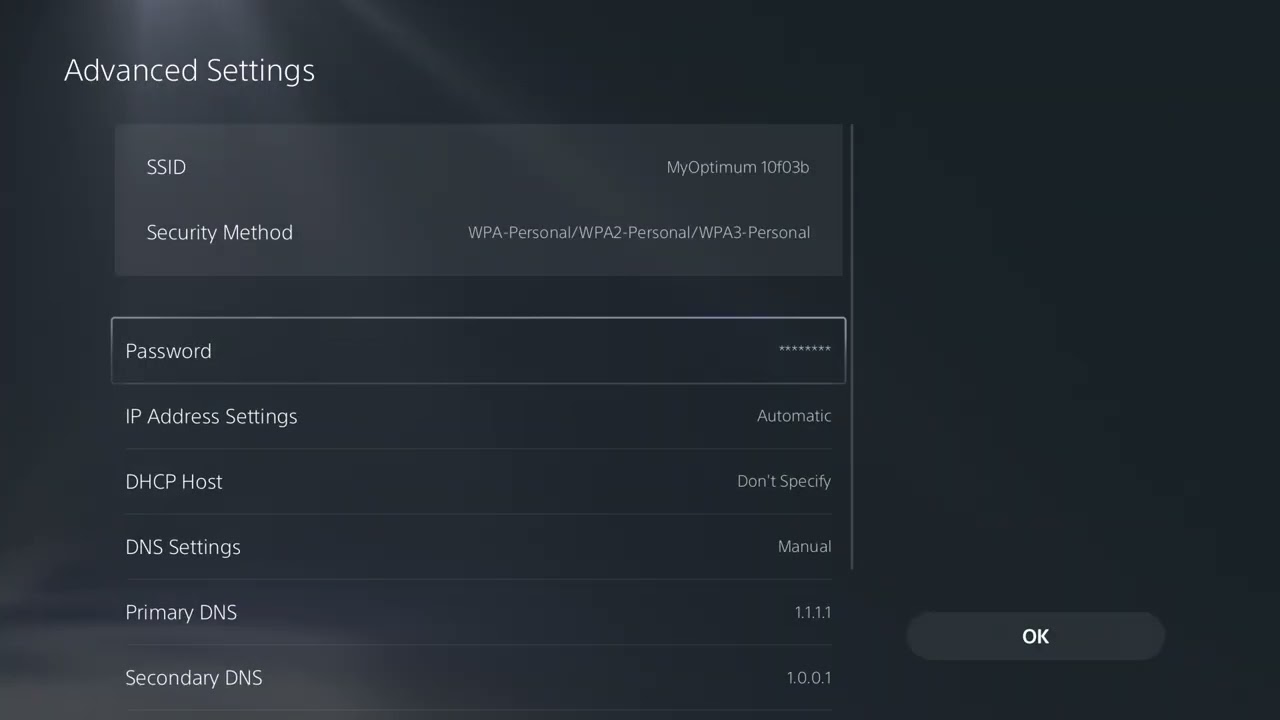
- Optional DNS test. Set DNS to Manual and test Cloudflare 1.1.1.1 and 1.0.0.1. Restore Automatic if there is no improvement.
Why this works
The console needs a stable local link, a valid address from the router and a working route to PlayStation. Restarting clears stale sessions, Ethernet bypasses interference, and recreating the connection removes incorrect saved values. DNS changes name resolution only and cannot fix an outage or weak signal.
Alternatives
- Test another network briefly to separate an ISP problem from a console problem.
- Ask the ISP about port filtering or address assignment if multiple devices fail.
- Leave IP address, DHCP host name, MTU and proxy automatic unless the network administrator supplies values.
- Try later if the line is busy and every local check passes.
Warnings
A router power-cycle is reversible; a factory reset erases its Wi-Fi and ISP configuration. Do not copy a static IP from another device. If you test manual DNS, undo it by returning DNS to Automatic.
FAQ
What does NW-102633-5 mean?
PlayStation says an error occurred while connecting to PlayStation.
Should I open ports?
Only with help from the ISP or network administrator. Avoid broad DMZ settings.
Does changing DNS guarantee a fix?
No. It is an optional, reversible test.
Official references
Source video
As an Amazon Associate I earn from qualifying purchases.